Megafon MR150-2 (ZTE MF910) Unlock Code.
- Price in currencies:
- 4.26 $ · 409 RUB · 3.89 €
- Category:
- Cell phone unlock
- Sales:
- -1
- Refunds:
- -1
- Seller:
- Decker · about the seller and their products
DESCRIPTION
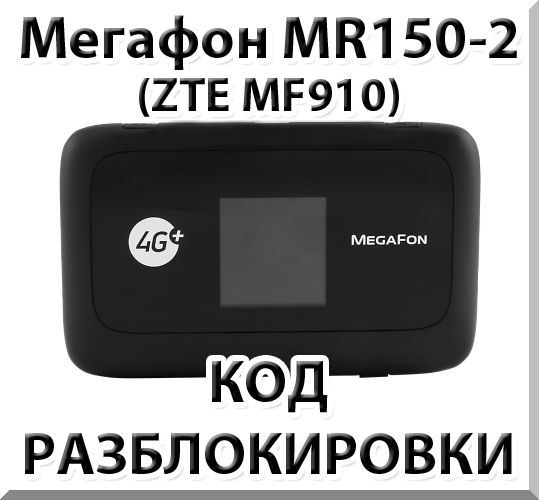
Megafon MR150-2 (ZTE MF910) Unlock Code.
This product is designed to unlock the router Megaphone MR150-2 (ZTE MF910) using the unlock code.
Note for the unlock code, you will need the data read from the device by using ZTE Reader Tool. If for some reason you were not able to read data from the device, do not purchase this product!
Also, you must make sure that the router with the inserted SIM-card of another operator prompts you for the unlock code (Unlock Code).
Supported devices
-------------------------------
Megaphone MR150-2 (ZTE MF910)
Instructions for obtaining the unlock code
------------------------------------------
1. Download the archive with the program https://3ginfo.ru/downloads1525.html ZTE Reader Tool and the necessary drivers.
2. Connect the device to a PC using a USB-cable.
3. Install the driver ZTE Installer.
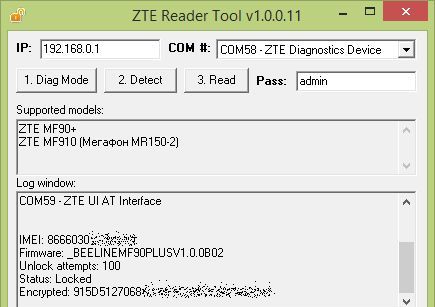
4. Run the application ZTE Reader Tool and enter the IP-address of the device, and the password to access the web-based interface (default is 192.168.0.1 and admin)
5. Press the "1. Diag Mode", if done right, the log window we will {"result": "success"}, and open Device Manager several COM-ports.
6. Push the button "2. Detect" in the drop down list, select the COM port on top - ZTE Diagnostics Device.
7. Push the button "3. Read", then in the log window displays information like:
IMEI: 8675080xxxxxxxx
Firmware: _MR150-2V1.0.0B01
Unlock attempts: 5
Status: Locked
Encrypted: 2E1497B0B79AA8Dxxxxxxxxxxxxxxxxx
8. There IMEI device is 15 digits, which are specified on the label to the device, and Encrypted - information that you need to get the unlock code. Note sign of the correctness of data read is a match with the actual reading IMEI IMEI device. If you do not, you may incorrectly installed drivers from paragraph (3), or selected the wrong COM-port in paragraph (6). In this case, you must repeat the reading of the data.
9. Pay for the unlock code in any way you want from the selection on the trading floor. Immediately after the payment you will have a registration form in which you want to fill IMEI and Encrypted, obtained by you from the program ZTE Reader Tool. If for some reason the registration form you will not have (for example, after the payment you forgot to press the button "Back to the seller") - you can fill it by clicking on the link in the letter from Plati.Ru paid for the goods, which is sent to the Your email immediately after the payment.
11. Insert the SIM-card of another operator, go to the web-based interface, and in the window to enter the unlock code (Unlock Code) enter the code.
Caution To purchase this product is only if you correctly read the data using ZTE Reader Tool, ie you are convinced of their correctness in paragraph (9) of this manual and the device asks if you have unlock code network (ie attempts to enter the unlock code is not spent). If you buy this product after it appears that the device does not ask for unlock code (exhausted attempts to enter a code), or that you are not convinced korretnosti read data in paragraph (9) - a service of the unlock code is considered to be provided in full, and money spent no return BE. Be careful!
Additional information:
Immediately after payment you will receive a form to fill in the registration data, which will have to fill the following fields:
- E-mail address (email);
- IMEI;
- Encrypted Block;
These data will be transferred to the seller to complete the transaction of sale of goods.
REVIEWS
Reviews: (10)
Хочу поблагодарить за помощь администраторов.
Очень приятно иметь дело, отзывчивые и грамотные!
Молодцы!!!
DISCOUNTS
Discounts:
Discount for regular customers! If the total of your purchases from the seller Decker exceeds:
- $100 discount 25%