
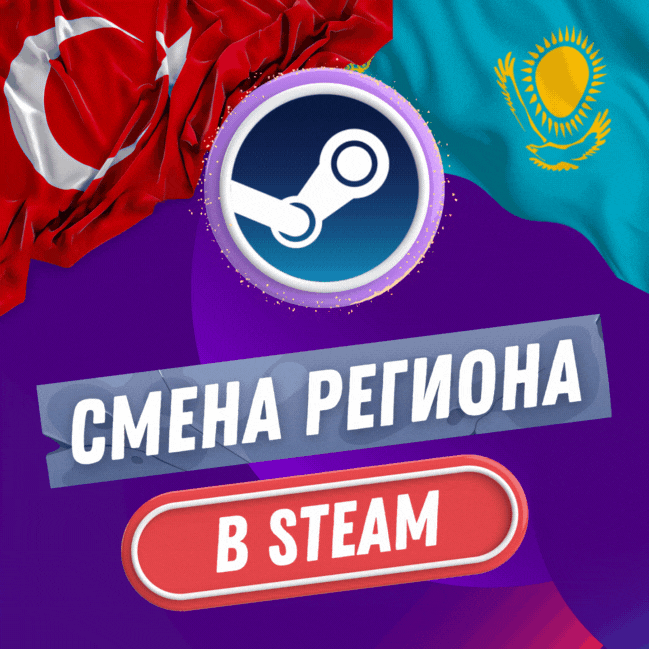
🔥 STEAM CHANGE REGION 🔥 TURKEY & KAZAKHSTAN (FAST) 🔥
- Price in currencies:
- 10.29 $ · 8.92 €
- Category:
- Services
- Item:
- text information
- Uploaded:
- 30.09.2025 23:47:47
- Sales:
- 17627
- Refunds:
- 5
- Customer rating:
- 5.0 of 5 +8225 / −0
- Seller:
- Luxtake · about the seller and their products
DESCRIPTION
🔥 STEAM CHANGE REGION 🔥 TURKEY & KAZAKHSTAN (FAST) 🔥
✅ We send you a Steam QR code for authorization, you scan it using Steam Guard "Add Authenticator".
✅ I create a virtual card personally for your account, after which I make a purchase for a small amount
✅ After I made a purchase, the region changed and I CANNOT return the purchased game!
✅ In the correspondence I will provide you with a screenshot with the details that I used when changing the region
(If you receive a block, you send the received details to Steam technical support and it will be removed)
1️⃣ After paying for the goods, provide a 16-digit code (from the payment page) in correspondence with the seller
2️⃣ Transfer data from your Steam account or log in via QR
3️⃣ Confirm login to your account in the Steam mobile application or Guard code
4️⃣ Close the Steam client on PC only
5️⃣ After the actions taken, wait for a response about readiness
QR Code - We send you a QR code, scan it through the Steam mobile application and confirm your login
Data - Send account data, confirm login via Steam Guard or confirmation code from email
Reserve code - Send data from your account with a reserve code to log in, one of the fastest logins because it does not require additional confirmation
➖ After changing the region to Kazakhstan or Ukraine
➖ There is no need to disable Steam Guard and we do not recommend doing so
➖ The region can be changed once every three months
➖ On new accounts, changing the region is available immediately (there are cases when you need to wait)
➖ The currency in your account is converted at the Central Bank rate
➖ To reduce the risk of blocking, it is recommended not to top up your balance or make Steam purchases for at least 24 hours
➖ You can top up Steam Kazakhstan through QIWI Wallet!
➖ You can replenish Steam Türkiye through skins or replenishment codes!
You can get answers to your questions by writing to me in Telegram
Worried about your account? In this case, there is a map for independently changing the region to Kazakhstan.
The card for the change can be purchased here - https://plati.market/itm/3643827</delivery>;
Additional information:
🔹 Q: Do I need to disable Steam Guard when changing regions?
✅ A: No. There is no need to disable Steam Guard, and I do not recommend doing so in order not to attract the attention of Steam.
🔹 Q: I already have funds in my account, what will happen to them?
✅ A: Funds in your account are automatically converted into tenge at the STEAM rate.
🔹 Q: Do I need an active VPN to play and use my account?
✅ A: No. As before, you will be able to use your account to its fullest and play without using a VPN.
🔹 Q: Will my PING change in games after changing the region?
✅ A: No. You will connect to nearby servers and PING will remain the same.
🔹 Q: Can I top up my account via QIWI or WebMoney while living in Russia?
✅ A: Yes. Only accounts with the region Kazakhstan or Ukraine.
🔹 Q: What should I do if I did not comply with the terms of use and have problems replenishing funds?
✅ A: Contact Steam technical support with the details of the bank card with which the payment was made and technical support will unblock your account without any problems (after changing the region you will receive a screenshot with this data).
🔹 Q: Why do I have to wait 24 hours before adding funds to my Steam account?
✅ A: This is a recommendation. The likelihood that Steam technical support will block your account will decrease.
🔹 Q: Can I gift blocked games to a friend on an account in the Russian region?
✅ A: No, blocked games cannot be gifted to the account on which the game is blocked.
🔹 Q: Can I immediately gift the game to a friend on an account with the same region?
✅ A: No. You must wait at least 24 hours
🔹 Q: Can I immediately accept the game as a gift from a friend in the same region?
✅ A: Yes. You can accept gifts (gifts) immediately after changing the region.
🔹 Q: Can I activate the game with a key immediately after changing the region?
✅ A: Yes. This is not dangerous.
REVIEWS
Reviews: (10)
DISCOUNTS
Discounts:
Discount for regular customers! If the total of your purchases from the seller Luxtake exceeds:
- $100000 discount 10%
- $10000 discount 6%
- $2000 discount 5%
- $500 discount 4%
- $100 discount 3%
- $20 discount 2%