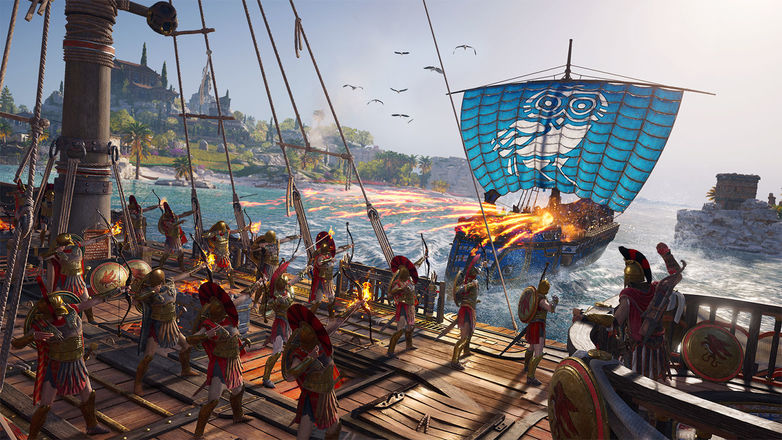




Assassin´s Creed Odyssey ULTIMATE EDITION | Region Free
- Price in currencies:
- 1.75 $ · 100 RUB · 1.65 €
- Category:
- Ubisoft Connect Accounts
- Item:
- text information
- Uploaded:
- 11.08.2026 15:24:24
- Sales:
- 100
- Refunds:
- 14
- Customer rating:
- 4.8 of 5 +100 / −3
- Seller:
- Top-games · about the seller and their products
DESCRIPTION
Assassin´s Creed Odyssey ULTIMATE EDITION | Region Free
By purchasing this product you instantly get a shared account Uplay (Ubisoft connect) with the game Assassin´s Creed Odyssey ULTIMATE EDITION for offline activation of the game, LOGIN: PASSWORD
The account can be used ONLY in offline (offline) mode.
1 Activation - 1 PC
The game can be updated.
You will have access to your account forever.
Account data cannot be changed.
The account has no regional restrictions.
Before activation, make sure that you will play on this particular PC and that your PC meets the minimum system requirements for this game.
If your PC does not run the game or you have a compatibility problem, I don’t make a refund, if you bought by mistake I don’t do a refund either.
The account is not suitable for cloud gaming (Playkey, Geforce NOW, etc.)
By purchasing this product you agree to all of the listed conditions.
1) Download Uplay (Ubisoft connect) (if not installed) https://uplay.ubi.com/
2) Run Uplay (Ubisoft connect) Copy login: password, tick remember me and enter your account.
3) Load the game
4) Go to the settings ---> General, uncheck the Synchronization of saves in the cloud service.
5) Settings ---> Network, put 2 checkboxes Always run Uplay offline and do not send error messages and uncheck Enable automatic updates
6) Game options ---> uncheck Enable automatic game updates
7) Start the game
8) Click "Go offline" in the Uplay client (Ubisoft connect)
REVIEWS
Reviews: (10)
Рекомендую к покупке
DISCOUNTS
Discounts:
Discount for regular customers! If the total of your purchases from the seller Top-games exceeds:
- $300 discount 5%
- $50 discount 3%
- $10 discount 2%
- $5 discount 1%