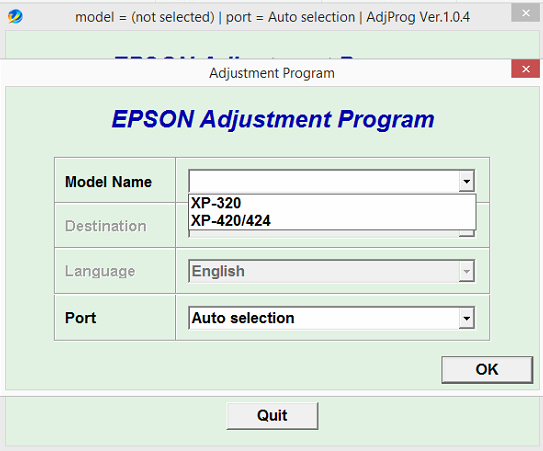
Adjustment program Epson XP-320, XP-420, XP-424
- Price in currencies:
- 10 $ · 969 RUB · 9.14 €
- Category:
- Printers
- Item:
- XP320_XP420onePCv2.rar (1415.31 KB)
- Uploaded:
- 06.08.2016 16:19:18
- Sales:
- 372
- Refunds:
- 1
- Customer rating:
- 4.9 of 5 +60 / −1
- Seller:
- printua · about the seller and their products
DESCRIPTION
Adjustment program Epson XP-320, XP-420, XP-424
Attention! Before making a purchase, carefully read the product description below.
Epson XP-320, XP-420, XP-424 Adjustment program is a service program for the specified printer models, the program allows you to repeatedly reset the diaper counter (working, absorber) of the printer on the 1st computer, preset the printhead ID, initialize the printer and other functions.
Features of the program:
1. Interface language is English
2. The program will work only on one computer for which you will receive an activation key.
3. Windows can be reinstalled on exactly the same and reactivated the program with the activation key received earlier.
4. The configuration of the computer cannot be changed, for example, if you change the hard disk or processor of the computer or replace or add any other part, the program will no longer be activated and you will have to buy the activation key again.
5. The program does not work on Mac OS
6. IMPORTANT !!! Some antiviruses can swear on the program, so while working with the program it is worthwhile to disable them or add the program to the exclusions. This also applies to the anti-virus protection built into Internet browsers. Download using Internet Explorer or Firefox
PROGRAM ACTIVATION PROCEDURE:
1. After paying for the program and downloading it, you MUST remove it from the archive using an archiver program, for example, Winrar.
2. Run the Adjprog.exe program by double-clicking.
3. A window with the Hardware ID number will appear, select it with the mouse cursor and copy
4. Paste the ID number into the letter and send it to the printb@bk.ru mail with the subject of the letter "I bought the Epson XP-320, XP-420, XP-424 Adjustment program from you."
5. In response, we will send you a serial number that you insert into an already running program and click Register.
6. Next, you work with the program as usual, as described, for example, here: http://printblog.ru/remont-printerov/remont-prniterov-i-mfu-epson/epson-xp-320-oshibka-e- 11.html
AND ALWAYS LEAVE A REQUEST FOR PURCHASE !!! THANK!!!