
192 0
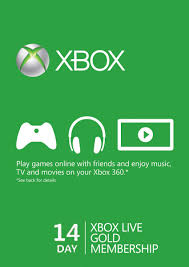
XBOX LIVE TRIAL 14 DAYS - WORLDWIDE - ONLY NEW ACCOUNTS
IMMEDIATE DELIVERY!
The code must be activated from xbox console! The key will fit ONLY for XBOX ONE, ONLY for newly created accounts and ONLY for downloading free games for Gold status! Account holders will not be able to play online!
Please take this into account, because after the purchase we will not be able to help and no complaints about this do not accept!
Microsoft is fully responsible for the proper operation of the Xbox Live service.
The list of countries where Live sevice is supported is http://www.xbox.com/en-US/live/countries, but the key cannot be activated in Romania, Hungary and Cyprus.
After payment of the order, the system will automatically (without our participation) instantly send you a mail link to download the license key for XBOX LIVE subscription for 14 days (for any country - WORLDWIDE - RU / EU / US)
Attention!
- Trial Gameplay Status is a 14 day trial subscription:
- You can not play World of Tanks Console.
- This status will not allow you to get 2 free games on the program "Games with Gold status"
- Region: Russia World
If you have problems with the activation code, then your region does not fit. Temporarily change the region to the United States right here https://account.xbox.com/Shell/ChangeLocale and the code will be successfully redeemed.
Instructions for creating a new account on Xbox Live:
1) On the Xbox Live welcome page, click Continue.
2) Enter a NEW gamertag (nickname) that you have not used before.
3) The next step is to enter your Windows Live ID. Click "NO" to create a new account.
4) Choose a country.
5) Select a language and specify a date of birth.
6) Enter the new email address that you didn’t use before to create your Windows Live ID.
7) Enter the password and security question.
8) Then enter the first name, last name, phone number and contact email.
9) Accept the terms of use.
Done!
Now you can activate the key through the console!