 Discount for regular customers! If the total of your purchases from the seller
komteh26
exceeds:
Discount for regular customers! If the total of your purchases from the seller
komteh26
exceeds:

1 0
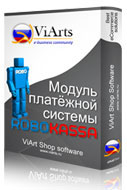
Installing and configuring the system module RoboKassa
Before installing the module, you must register your online shop as a merchant when ROBOXchange Cash register.
According to the rules of the system Webmoney Transfer, if the seller is not currency Webmoney units of any type, you receive a payment Webmoney units is not carried out using the code yandex money
No customer reviews yet.
Discount for regular customers! If the total of your purchases from the seller
komteh26
exceeds: