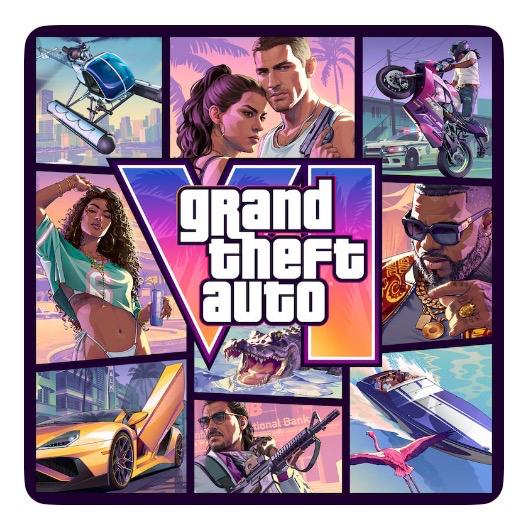
Grand theft Auto VI |PS5|
- Price in currencies:
- 15 $ · 1453 RUB
- Category:
- PlayStation Accounts
- Item:
- text information
- Sales:
- 4
- Refunds:
- 2
- Seller:
- ShinakaHub · about the seller and their products
DESCRIPTION
Grand theft Auto VI |PS5|
🔰 Activation P2: The game will be available on your personal account. You can play online for an unlimited time, and earn achievement.
⚡️ 24/7 Service: Immediately after payment, you will automatically receive the account details with the game. ⚡️
🎮 Platform: PS5
🌎 Account region: USA (Voice: English, Spanish, Italian, German, Polish, Portuguese (Brazil), Portuguese (Portugal), Russian, French (France), Japanese, Spanish (Mexico)
Display Languages: English, Arabic, Danish, Spanish, Italian, Chinese (Traditional), Chinese (Simplified), Korean, German, Dutch, Norwegian, Polish, Portuguese (Brazil), Portuguese (Portugal), Russian, Turkish, Finnish, French (France), Swedish, Japanese, Hungarian, Greek, Spanish (Mexico), Thai, Croatian, Czech)
You can use the account anywhere in the world. The region of your account does not matter.
▶ Games on account:
Grand Theft Auto 6
Benefits of P2 Activation:
P2 Activation - you play the game from our PSN account. No need to switch your console to offline mode. All achievements and saves remain on our profile.
◾️ You play from our account. All achievements remain on it
◾️ You launch the game strictly from OUR account.
◾️ You get the opportunity to play for an unlimited amount of time.
◾️ You can fully use your personal account, turn on the Internet, update the console
◾️ One account for up to 4 buyers in total, never more. You may overlap with other buyers and wait in a queue, Waiting for a free slot is part of the low price and is not a reason for a refund.
⚡ADVANTAGES ACTIVATION P2
✔️ Significant savings on the passage of the game.
✔️ Your saves (stored on the console under a specific profile)
✔️ Completely safe, the game was purchased with seller´s funds
Additional information:
How to launch the P2 game
→ Stay on the provided account. Do not switch to your personal profile.
→ Launch the game specifically from the provided account.
→ As soon as the game starts and the menu, intro, or loading screen appears, immediately disconnect the internet on your console (Wi-Fi or LAN).
→ Continue playing with the internet turned off. Do not reconnect during gameplay.
→ You can turn the internet back on after finishing your session.
If you get kicked out of the game:
• Refresh the license.
• Log back into the provided account.
• Launch the game within 10 minutes.
• Immediately disconnect from the internet after launching the game.
If the game fails to launch:
→ If a server error or a "temporarily unavailable" message appears, do not worry. This may be due to general service issues.
→ Wait a while and try launching the game later.
→ Do not change the account settings yourself.
IMPORTANT:
→ You must disconnect from the internet after every launch of the game.
REVIEWS
Reviews: (0)
No customer reviews yet.