WinBoost FPS Turbo PRO — Acceleration of Windows 10 11, FPS increase, PC cleaning
- Price in currencies:
- 3.01 $ · 222 RUB · 2.71 €
- Category:
- Multifunctional Utilities
- Item:
- text information
- Uploaded:
- 14.11.2026 16:03:19
- Sales:
- 0
- Refunds:
- 0
- Seller:
- decebell032 · about the seller and their products
DESCRIPTION
WinBoost FPS Turbo PRO — Acceleration of Windows 10 11, FPS increase, PC cleaning
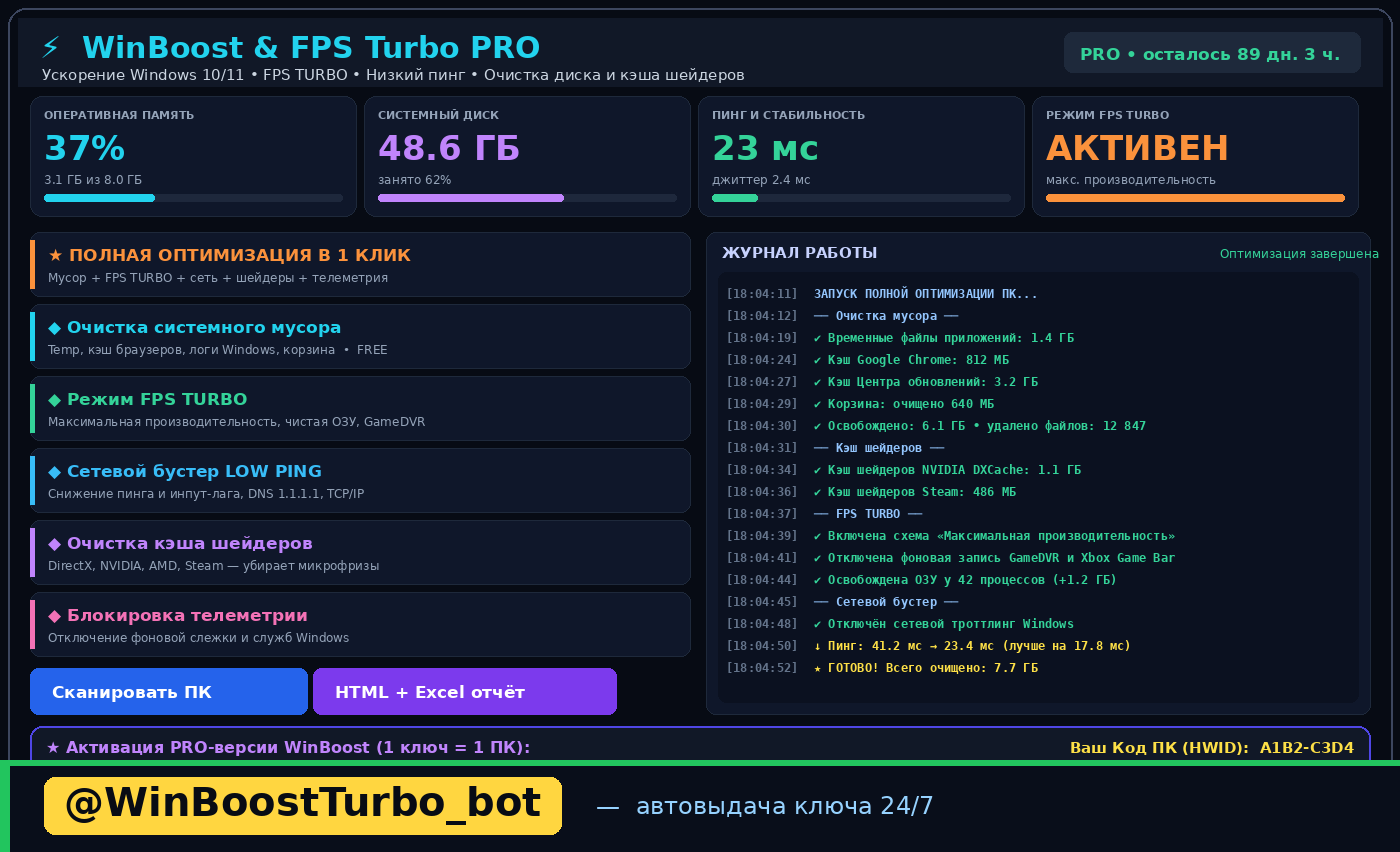
⚡ WinBoost FPS Turbo PRO — a program for accelerating Windows 10/11, increasing FPS in games, and deeply cleaning your PC with one click.
Works on Windows (WinBoost.exe) and Linux (via browser). No installation required — it runs from a single file, and requests administrator rights automatically.
🎮 FPS TURBO MODE — FPS boost and elimination of micro-freezes
• Maximum CPU and GPU performance
• Freeing up RAM, disabling GameDVR and background recording
• Adjusting Win32PrioritySeparation for system responsiveness
🖼 SHADER CACHE CLEANING — the main cause of stutters in games
• DirectX, NVIDIA, AMD, and Steam caches
• An overly large shader cache is what causes "jerking" and stutters
🌐 NETWORK BOOSTER FOR LOW PING — reducing ping and input lag
• Fast DNS, TCP/IP optimization, disabling Windows throttling
• Disabling the Nagle algorithm — mouse and crosshair response become sharper
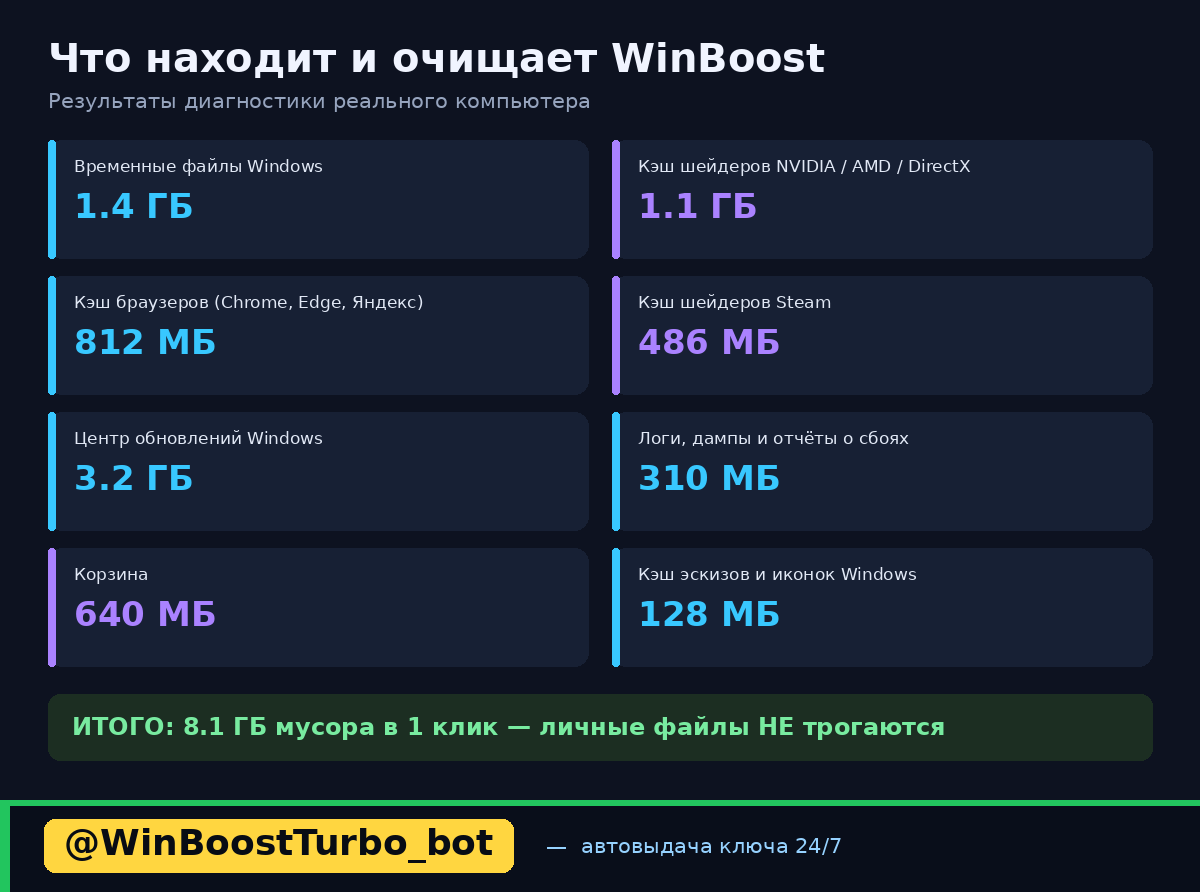
🧹 DEEP DISK CLEANING
• Temporary files, browser caches (Chrome, Edge, Yandex, Firefox), Windows logs, Recycle Bin
• On average, frees up between 3 and 35 GB
• Personal files, photos, and games are NOT deleted
🛡 DISABLING TELEMETRY AND WINDOWS SERVICES
• Disabling background tracking and unnecessary services
• Full rollback of all changes with one button
📊 VERIFIABLE RESULTS — NOT JUST NUMBERS
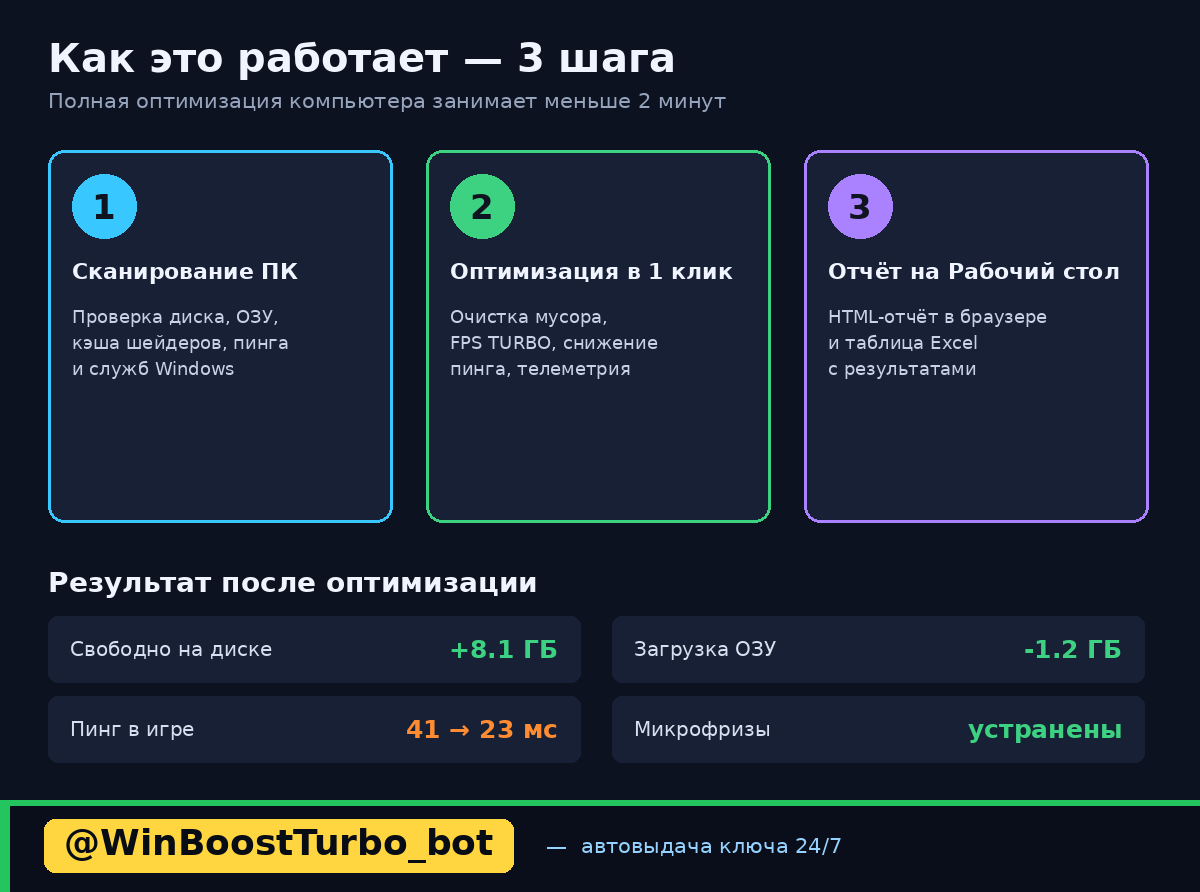
After optimization, the program itself measures performance BEFORE and AFTER and saves a report: CPU performance score, disk write speed, ping and jitter, and freed space.
The report is saved to the Desktop in HTML format and opens in a browser — you can see exactly what changed and re-check if needed.
📈 REPORTS
Diagnostics report (HTML) + Excel table (.xlsx) + .csv file — all are automatically saved to the Desktop.
💳 LICENSE PRICING (1 key = 1 PC):
• 190 RUB — "Express Boost for 7 days" — included in this listing
• 490 RUB — "3 Months (BEST SELLER)" — the optimal choice, 63% savings compared to the weekly plan
• 990 RUB — "Lifetime (VIP)" — lifetime access + all future updates
⚡ POST-PURCHASE DELIVERY
Immediately after payment, you receive a direct download link for the archive containing the program and instructions. The key arrives within 1 minute after you submit your PC Code (HWID).
🎁 FREE TRIAL BEFORE PURCHASE
You can download the program for free and test it in demo mode for 24 hours — full diagnostics, basic cleaning, and a report are available without payment.
🔒 LICENSING AND SECURITY
• The program is the seller´s own development, with an official license
• Key WBPRO-XXXXX-XXXXX-XXXXX-XXXXX is tied to one computer (HWID)
• All actions are visible in the log, and any change can be rolled back with one click
• Support: @decebell032
Additional information:
Thank you for purchasing WinBoost FPS Turbo PRO!
1. Download the program archive from the link you received after payment.
2. Extract the archive to any folder and launch it:
• Windows — WinBoost.exe (right-click → "Run as administrator")
• Linux — bash start_mac_linux.sh
3. In the lower part of the program window, find your PC Code (HWID) — it looks like A1B2-C3D4.
4. Send this code to the seller´s chat on this order page or to the Telegram bot @WinBoostTurbo_bot — the key will arrive automatically within 1 minute.
5. Enter the key in the activation field at the bottom of the program and click "Activate PRO mode".
Done — PRO is activated.
IMPORTANT: One key activates on one computer. If you reinstall Windows, contact support at @decebell032 — we will help you.
Start by clicking the "SCAN PC" button, see what the program found, then press "FULL OPTIMIZATION IN 1 CLICK" and open the BEFORE/AFTER report on the Desktop.
REVIEWS
Reviews: (0)
No customer reviews yet.