EISOT XML Converter— Excel to XML for the Russian Ministry of Labor Training Registry
- Price in currencies:
- 13 $ · 1222 RUB · 11.72 €
- Category:
- Medicine
- Item:
- text information
- Uploaded:
- 20.10.2026 11:03:20
- Sales:
- -1
- Refunds:
- -1
- Seller:
- Cyfra+ · about the seller and their products
DESCRIPTION
EISOT XML Converter— Excel to XML for the Russian Ministry of Labor Training Registry
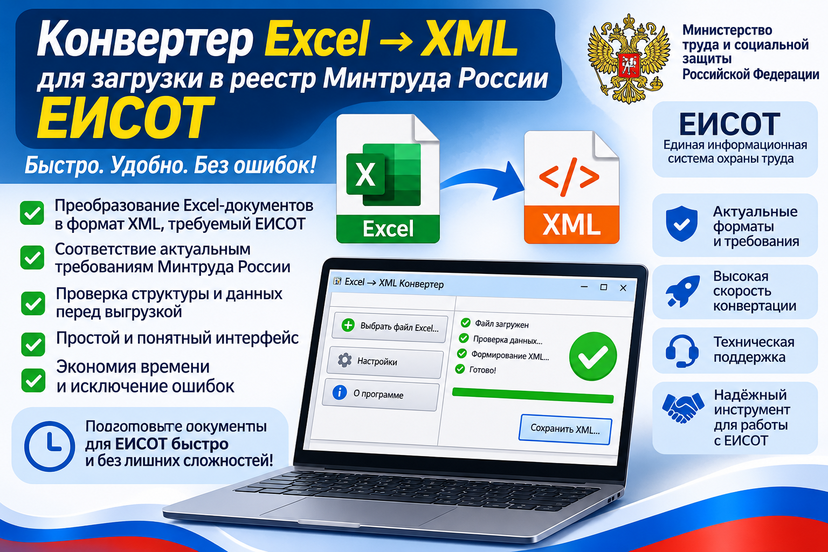
An activation key for one workstation for “EISOT XML Converter”. This Windows program converts Excel spreadsheets with lists of trained employees into XML for upload to EISOT, the unified occupational safety information system of the Ministry of Labor of the Russian Federation (registry of persons trained in occupational safety).
🔽 Before buying, download the program for free and test it on your own files:
https://eisot.cpkiot.com/Excel2EISOT.zip
Without a key the program runs in demo mode: 1 day, only the first 3 records are saved to XML.
🔑 Activation is automatic, with no need to wait for the seller
Right after payment you receive a key like EISOT-XXXXX-XXXXX-XXXXX-XXXXX.
With internet access: run the program, paste the key into the “Shop key” field and click “Activate online”. Activation takes a few seconds.
Without internet on this computer: click “Manual activation” in the program and copy the request code. Then on any device with internet access (computer, phone), open https://eisot.cpkiot.com/, enter the key and the request code, and get a response code. Paste it into the program and click “Activate”.
Activation is available 24/7. If the activation on the same computer is lost, simply activate again with the same key.
The program works like the online service https://eisot.spec.help/, but needs no internet connection to work and sends no data anywhere. Full names, SNILS numbers, INNs and employer details stay on your computer. This matters for training centers and companies that handle personal data. Internet access is needed only once, for automatic activation.
How it works:
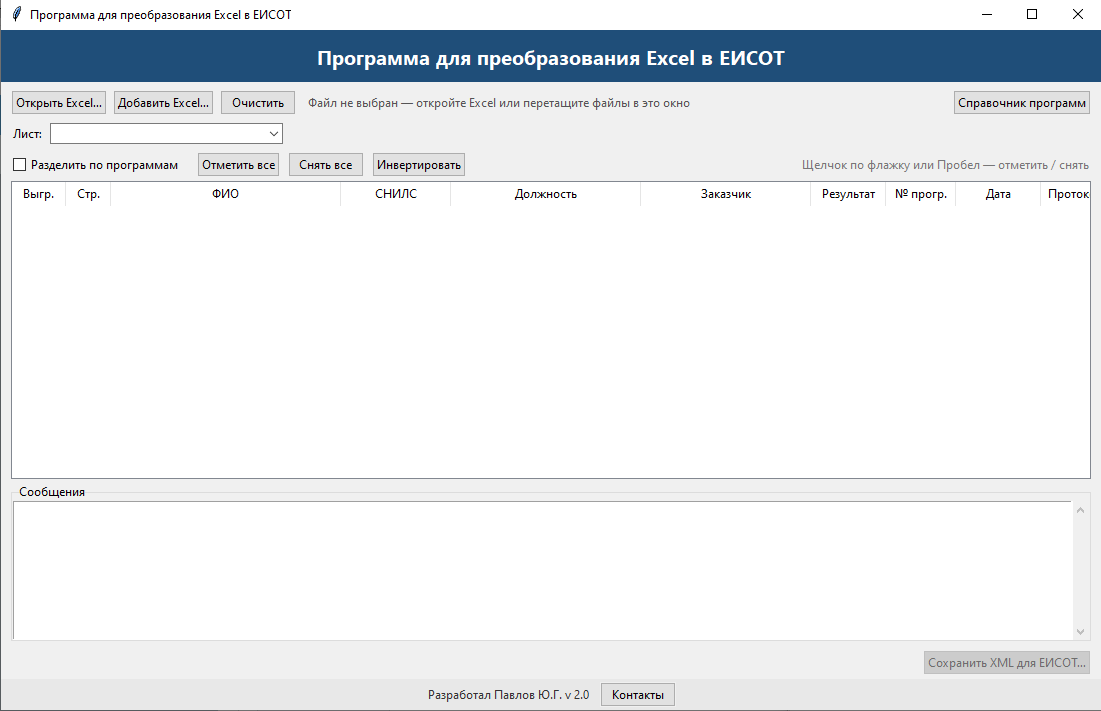
Open one or several Excel files with a button or drag and drop them onto the program window.
The program shows all records in a table and highlights rows with errors.
Use the checkboxes to choose who to export: everyone or only selected people.
Click “Save XML” and upload the file to EISOT.
Before saving, the program checks the data:
SNILS: digit count and checksum, formatted as XXX-XXX-XXX XX;
INN: 10 or 12 digits, restoring a leading zero that Excel dropped;
dates: as an Excel date or as text like “14.10.2026”;
result: “satisfactory” or “unsatisfactory”;
extra spaces in names, job titles and company names.
Rows with errors don’t block your work: they are highlighted in red and skipped, and all other records are exported. Training program titles are filled in automatically from the built-in reference list, exactly as EISOT accepts them.
Additional information:
🔑 What you are buying
An activation key for one workstation (one computer).
The key never expires.
To use the program on several computers, buy keys for the required number of workstations.
On a Windows terminal server, a key is required for each user who works with the program.
🔑 When a new key may be needed
The program is moved to another computer.
Hardware components of the computer have been replaced.
Windows has been reinstalled.
In these cases, a new key may need to be purchased.
Supported Excel templates:
Full name in a single column (“Ivanov Ivan Ivanovich”);
Full name split into “Last name”, “First name”, “Patronymic” columns.
The template is detected automatically from the column headers. Employees without a patronymic are exported too.
Training program numbers:
one row can list several programs for the same employee;
numbers can be separated by a comma (3,4), a semicolon (3;4) or a space (3 4);
each program becomes a separate record in the XML.
Selective export:
each row has a checkbox, plus “Check all”, “Uncheck all” and “Invert” buttons;
“Split by programs” mode shows each program as a separate row;
a counter shows how many records and people are selected.
Several files into one XML:
data from different Excel files is combined into one list with “Add Excel…” or drag and drop;
the table shows which file each record came from;
identical records from different files are detected, and the duplicate copy is not exported.
Convenience:
drag and drop files onto the window;
empty rows and template rows are skipped;
if a workbook has several sheets, the "ЕИСОТ" sheet is selected; otherwise the program asks which sheet to use;
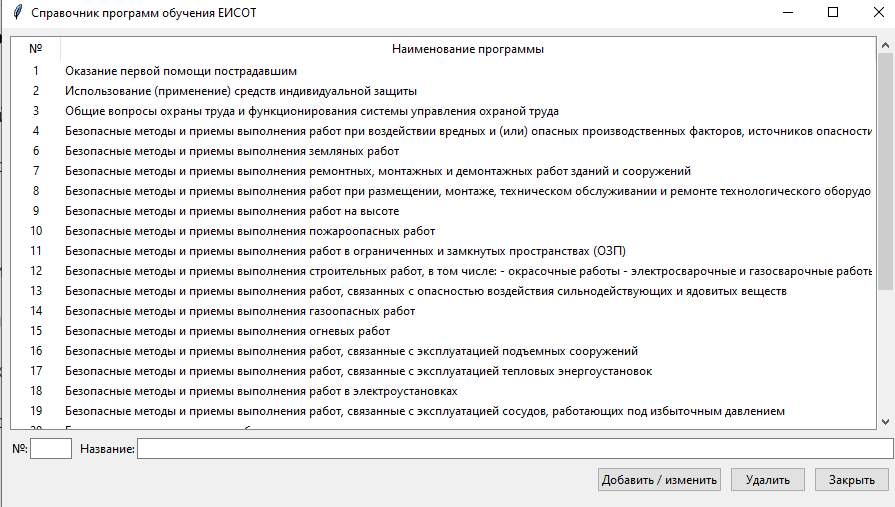
the reference list of 28 EISOT programs can be extended and edited:
1 – First aid to victims
2 – Use of personal protective equipment
3 – General issues of occupational safety and functioning of the occupational safety management system
4 – Safe methods and techniques for work under exposure to harmful and (or) hazardous production factors and hazards identified during the special assessment of working conditions and occupational risk assessment
6 – ... earthworks
7 – ... repair, installation and dismantling work on buildings and structures
8 – ... work on placement, installation, maintenance and repair of process equipment
9 – ... work at height
10 – ... fire-hazardous work
11 – ... work in confined and enclosed spaces
12 – ... construction work, including: – painting work – electric and gas welding work
13 – ... work involving exposure to potent and toxic substances
14 – ... gas-hazardous work
15 – ... hot work
16 – ... work related to the operation of lifting structures
17 – ... work related to the operation of thermal power installations
18 – ... work in electrical installations
19 – ... work related to the operation of pressure vessels
20 – Safe methods and techniques for handling animals
21 – ... diving work
22 – ... search, identification, neutralization and destruction of explosive objects
23 – ... work in close proximity to the roadbed or carriageway of operating roads and railways
24 – ... in areas with pathogenic soil contamination...
and others...
File formats: .xlsx and .xlsm. Resave .xls files as .xlsx in Excel first.
The archive contains two versions of the program:
x64 — for Windows 10 and 11 (64-bit);
x32 — for older computers: Windows 7 SP1 and newer, runs on both 32-bit and 64-bit systems.
No installation required: a single exe file. The program works fully locally, with no internet access.
REVIEWS
Reviews: (0)
No customer reviews yet.
DISCOUNTS
Discounts:
Discount for regular customers! If the total of your purchases from the seller Cyfra+ exceeds:
- $300 discount 29%
- $100 discount 10%
- $50 discount 7%
- $15 discount 5%
- $5 discount 3%