CloudRetry - Yandex Disk and Mail Cloud for Windows and Linux
- Price in currencies:
- 5.96 $ · 500 RUB · 5.32 €
- Category:
- Miscellaneous
- Item:
- text information
- Uploaded:
- 12.10.2026 23:12:14
- Sales:
- 0
- Refunds:
- 0
- Seller:
- Azag-Thoth · about the seller and their products
DESCRIPTION
CloudRetry - Yandex Disk and Mail Cloud for Windows and Linux
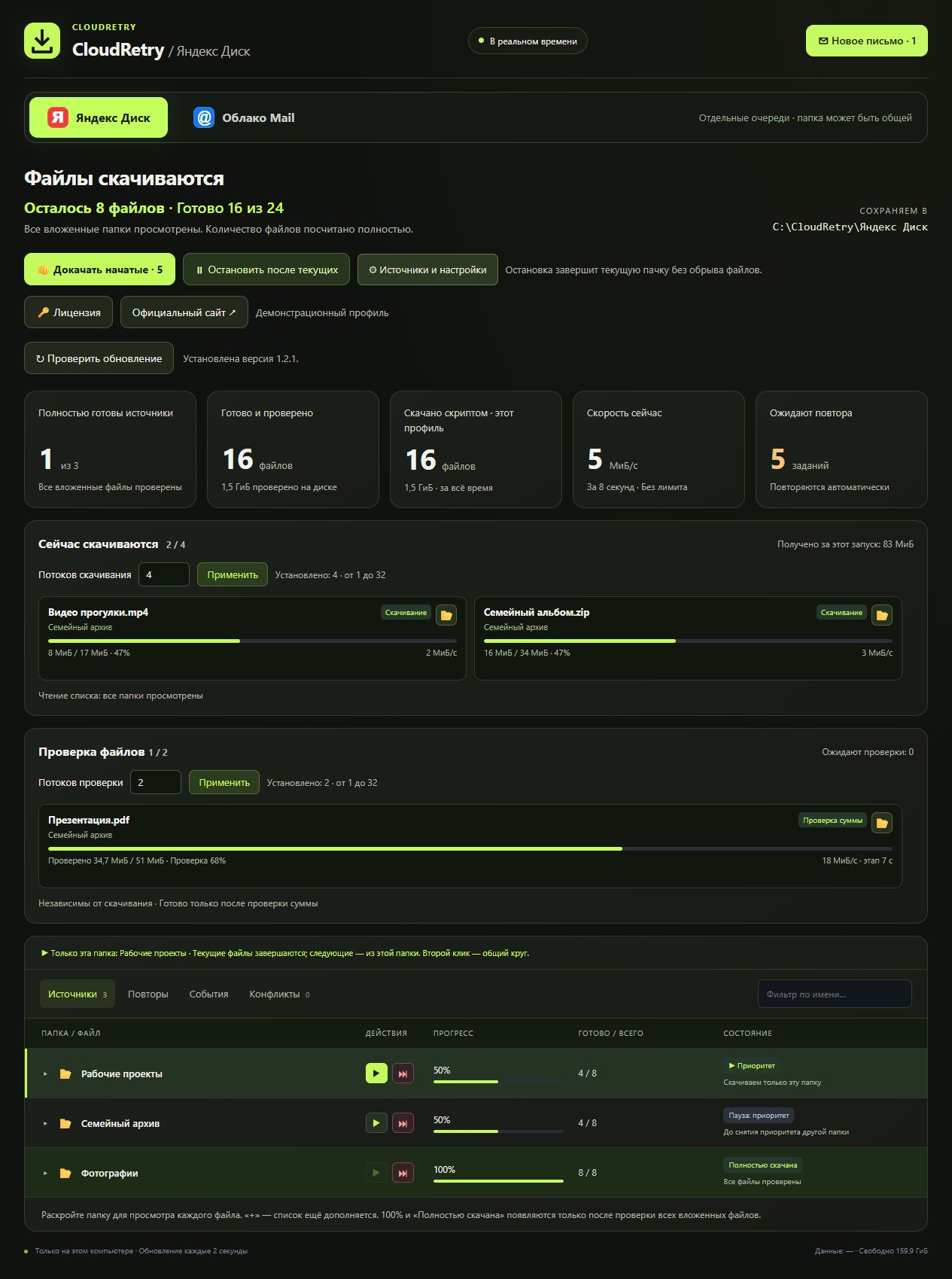
Download files from Yandex Disk and Mail Cloud to your computer. Automatic retries, resume, priorities and file verification in one interface. For Windows and Linux.
The website suggests the installer for your system. No code or payment required:
https://cloudretry.com/en
Activate your purchased code later and continue with the saved queue.
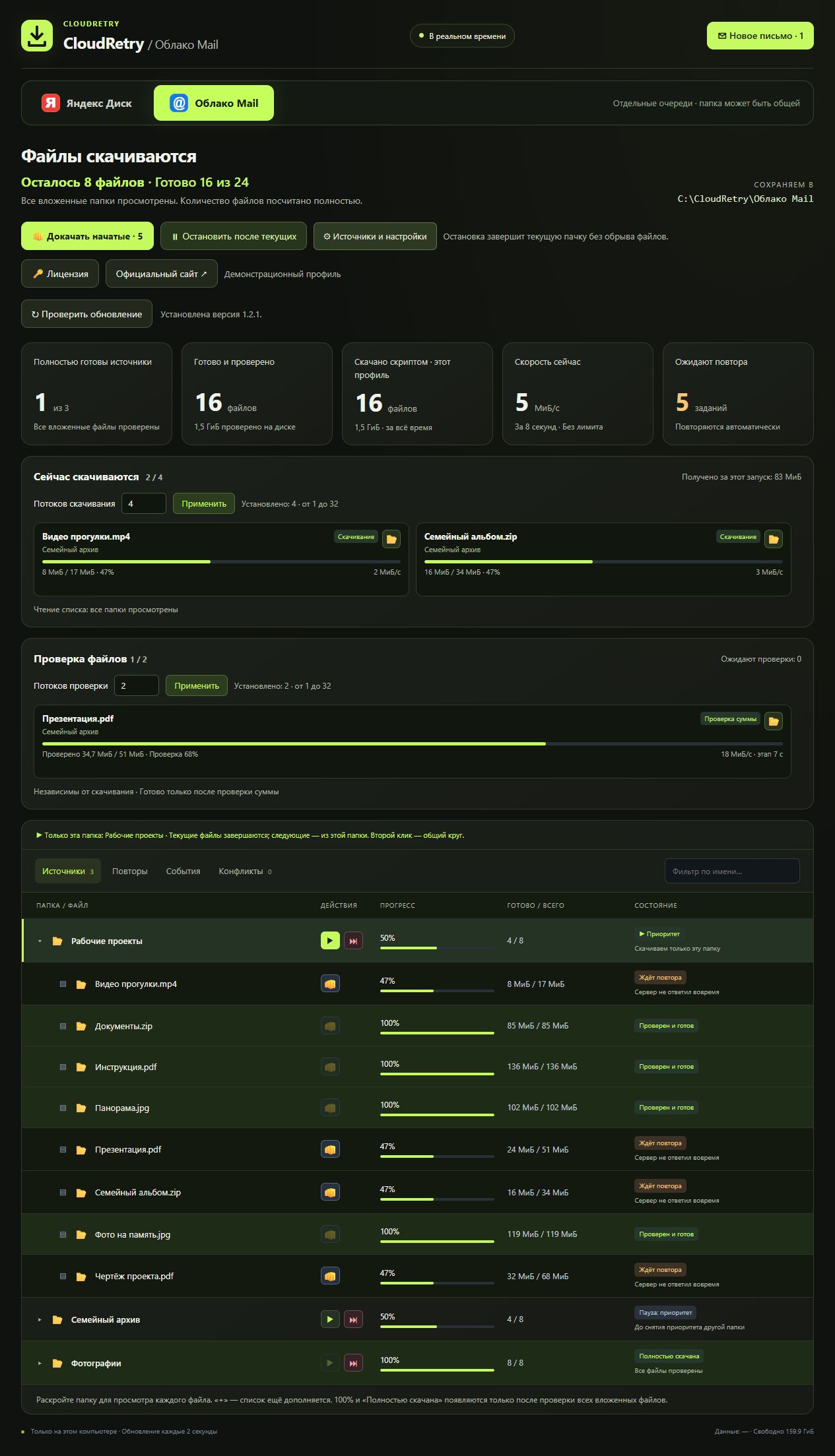
Yandex Disk and Mail Cloud: personal files, folders and public links. Mail supports VK / QR-code sign-in. Each connection has its own queue and destination settings. Both clouds can run at the same time.
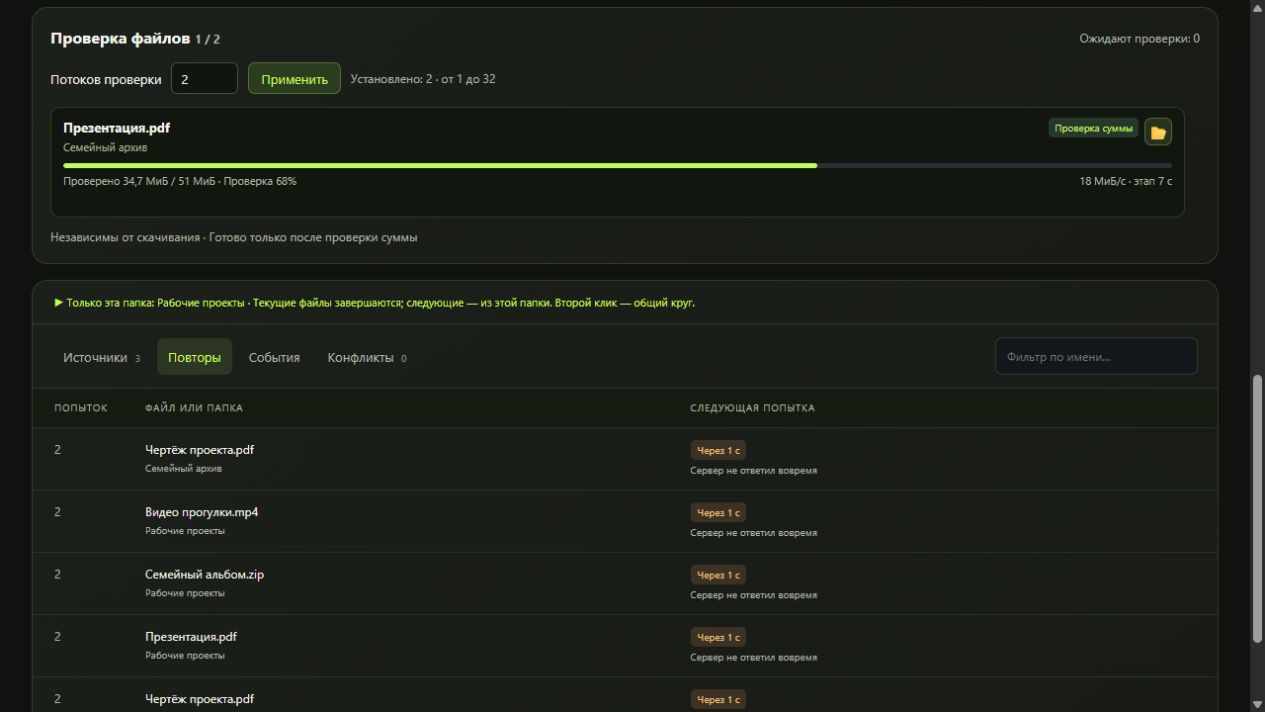
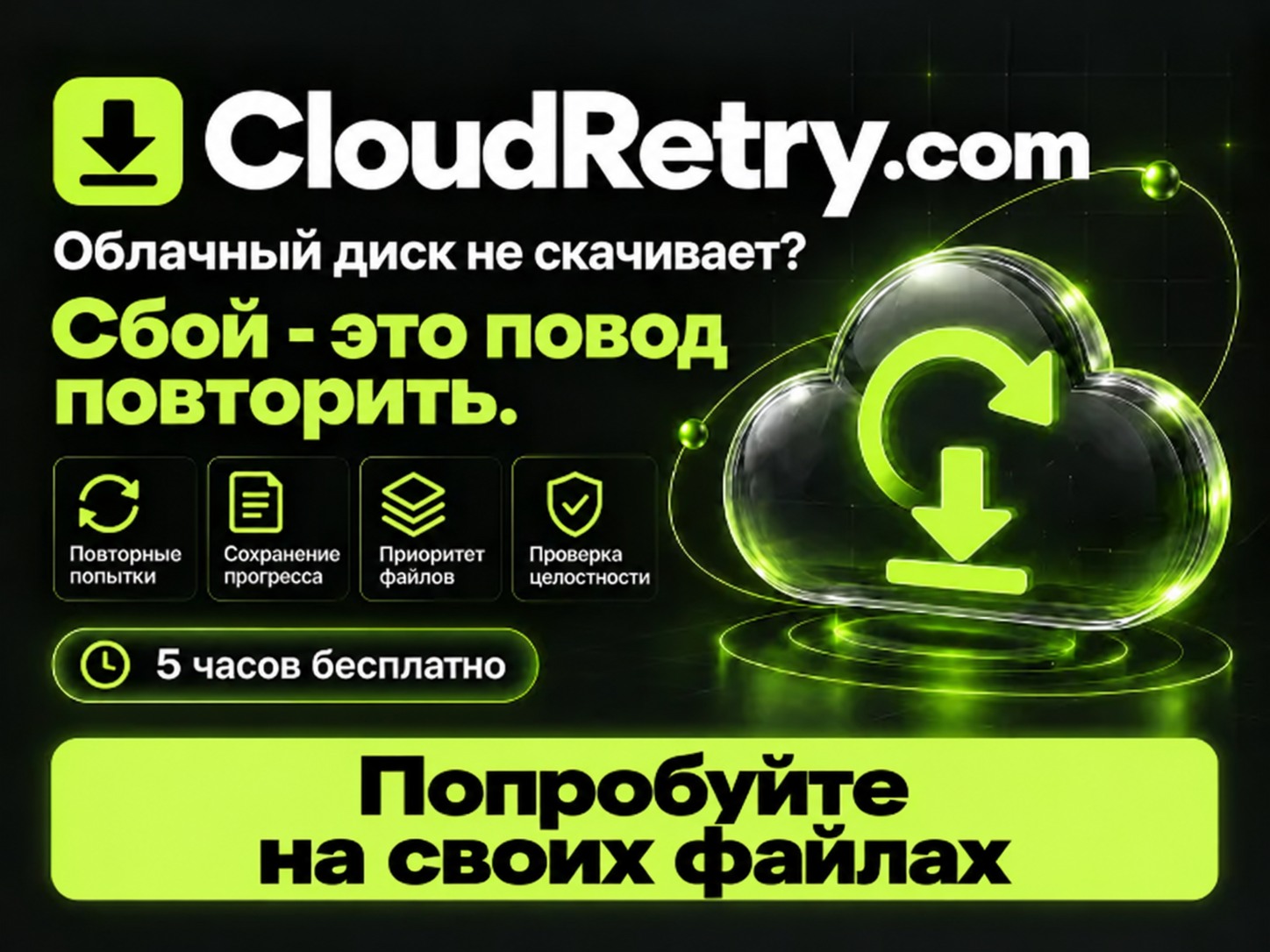
✓ Failed transfers return for another attempt.
✓ Downloaded parts are kept for resume when supported by the server and the file has not changed.
✓ Partial files get priority after restart.
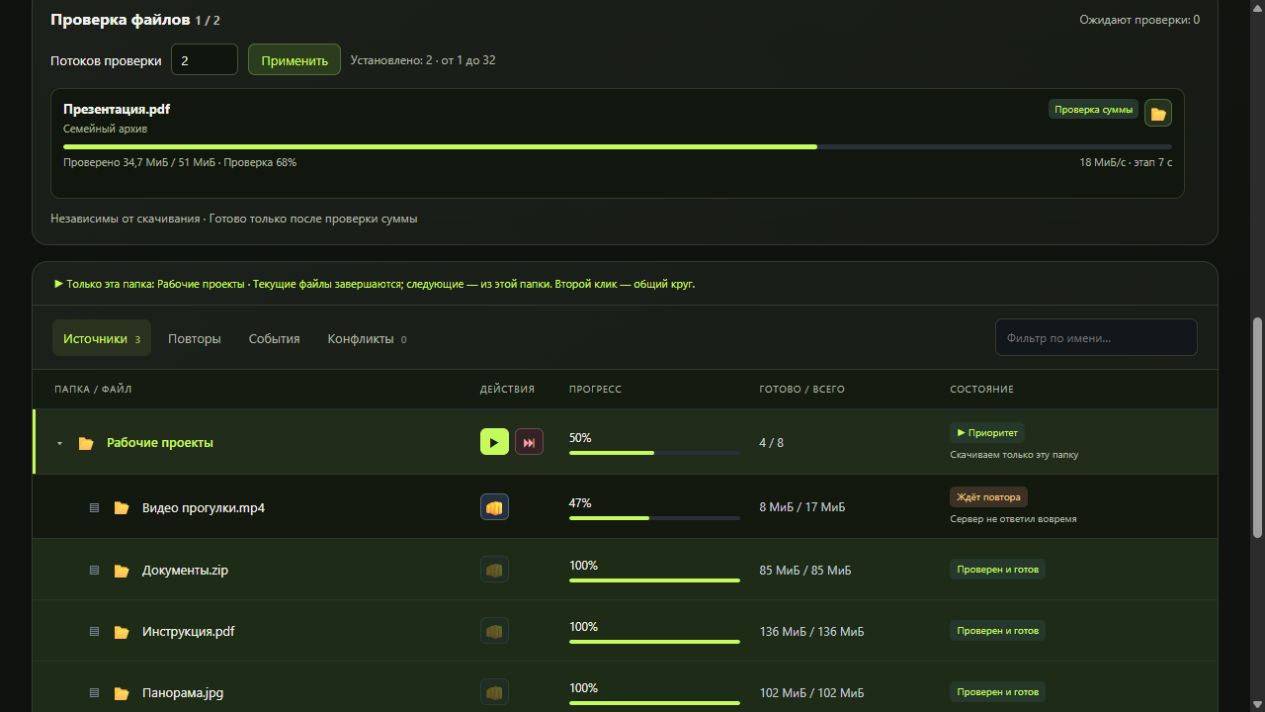
✓ Identical local files are verified to avoid unnecessary downloads.
✓ Different versions of the same filename are preserved separately. Partial downloads from different clouds are never combined.
Send one file to the next available attempt. Prioritize a folder for free workers, skip folders temporarily, or stop the queue after current transfers finish.
✓ Completed-file counts, speed, percentages and remaining queue.
✓ Integrity checks run separately from downloads.
✓ Separate controls for 1–32 download workers and 1–32 verification workers.
✓ Open a local folder or reveal a file directly from the download list.
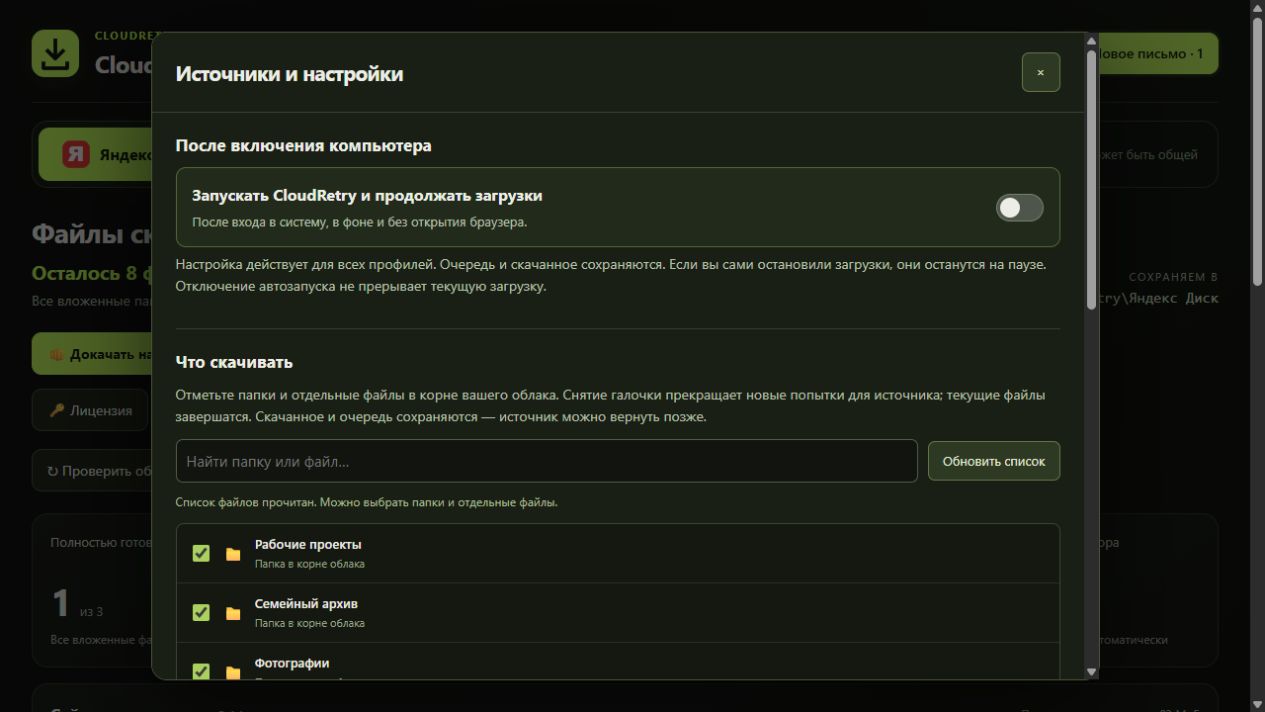
✓ Select sources and destinations, with available-space estimates.
Optional autostart after system sign-in resumes an active queue and preserves a manual pause. Install new versions using the app button without losing settings or queues. When a mandatory update is available, new downloads wait for installation.
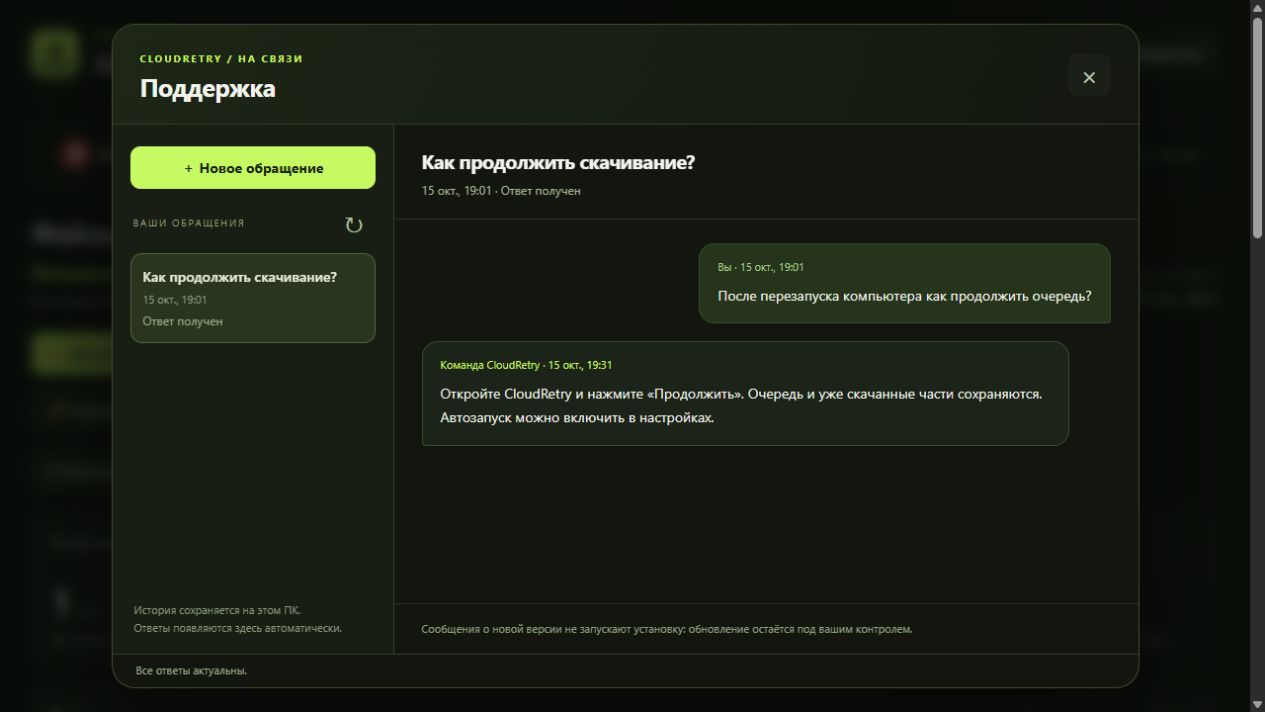
Submit a request and technical report from CloudRetry. Your request archive and replies stay in the same interface, with an unread-reply indicator. Reports are sent only with your consent.
• Personal activation code delivered automatically after payment.
• One active computer per code.
• Activate the same code on another PC to transfer it. The previous activation stops working within 2 minutes.
• Refunds within 3 days; refunded codes are revoked.
A Plati gift certificate worth 3% of the amount paid, under the platform rules. This is a gift certificate, not a refund to your bank card.
Windows 10/11 x64, or Linux x86-64 with glibc 2.35+, an X11/XWayland desktop session and Secret Service. Internet required. The app interface is in Russian. Test the trial on your computer first; see the website for full requirements.
The trial lasts 5 continuous hours from first launch, including time while the app is closed. Reinstalling on the same PC does not reset it.
CloudRetry downloads a local copy and does not synchronize local deletions back to the cloud. Independent software, not a Yandex or Mail product. Speed and availability depend on the cloud and your connection. No recovery of deleted files or bypass of access restrictions.
Screenshots show the actual app interface with demonstration data.
Official website: https://cloudretry.com/en
Additional information:
1. Download the Windows or Linux version from https://cloudretry.com/en
2. Install and launch CloudRetry. It opens its interface in your browser automatically.
3. Complete the initial Yandex Disk setup. To add Mail, open the Mail Cloud tab, sign in through VK / QR code and choose a destination folder.
4. Select files and folders and start downloading.
5. After the trial, enter your purchased code in License. The queue and partial files are preserved.
If the app page does not open after restarting your PC, launch the CloudRetry shortcut. You do not need to find or enter a local address manually.
One CloudRetry activation code for one computer. Cloud accounts, storage space and files are not included. To transfer the license, enter the same code on the new PC; access to the old PC is not required.
Use Support in the app, your purchase conversation, or Telegram: https://t.me/azag_net
Never send passwords, tokens or a full activation code. You can review the technical report before sending it.
Refunds are available within 3 days after purchase through the purchase page. Refunded activation codes are revoked.
REVIEWS
Reviews: (0)
No customer reviews yet.