
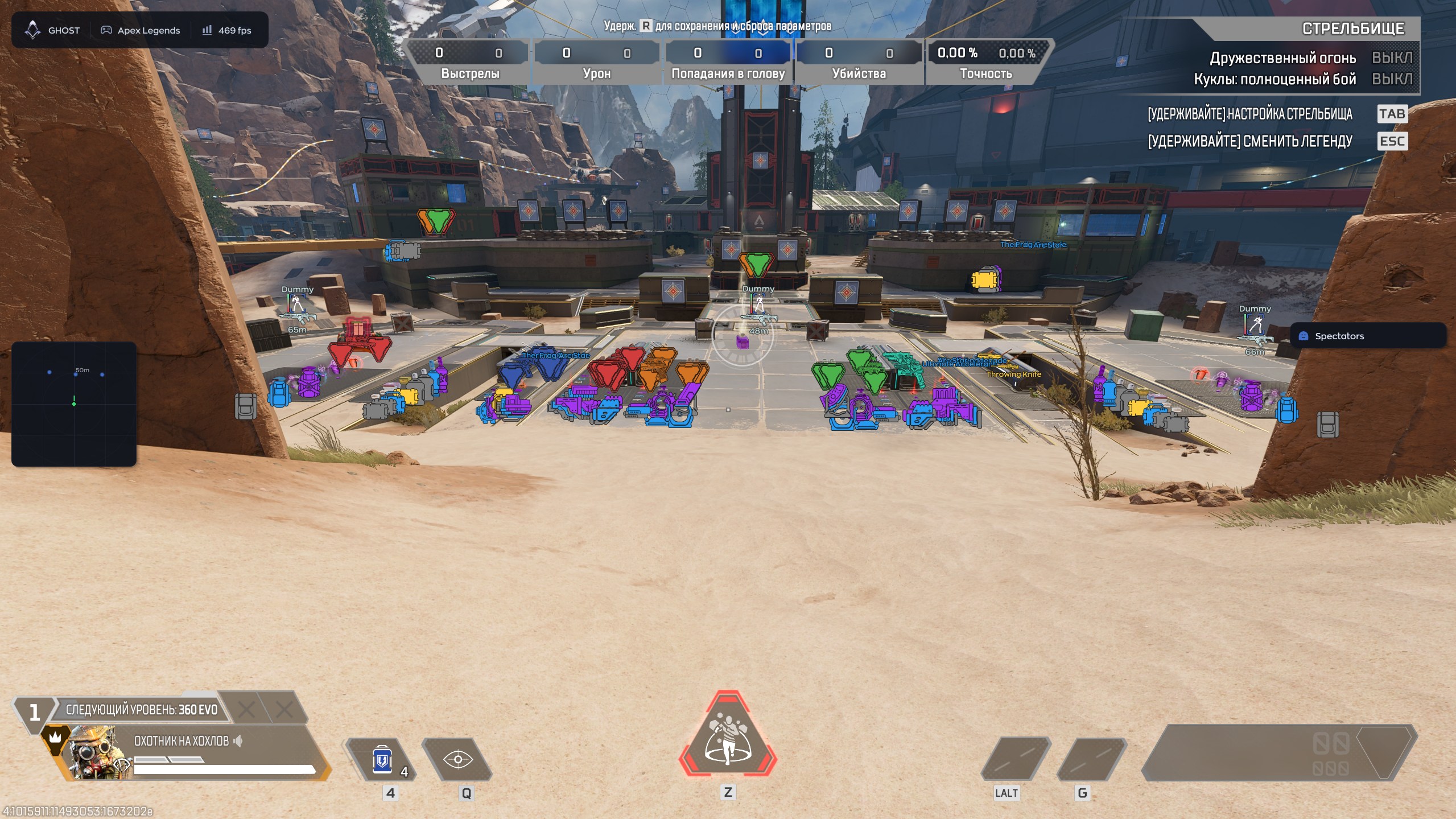
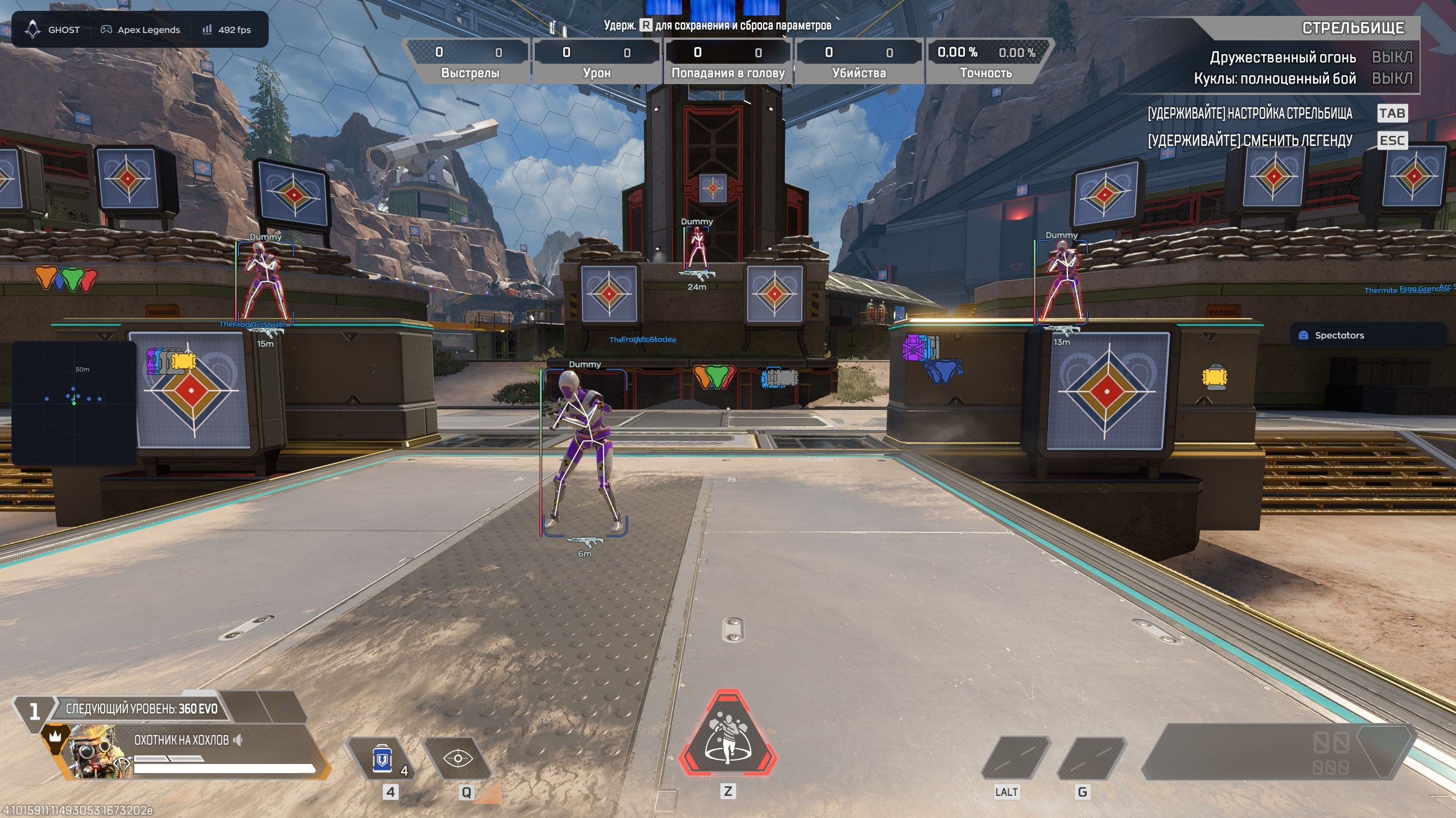
GHOST APEX LEGENDS — AIMBOT / ESP / LOOT / RADAR
Ghost for Apex Legends is game software for the Steam version of the game, combining a configurable aimbot, player ESP, loot highlighting, an on-screen radar and a configuration system.
Plans:
- 1 day — RUB 400
- 7 days — RUB 1,500
- 30 days — RUB 3,000
Video review:
https://www.youtube.com/watch?v=lCff3xBsZAM&t=17s
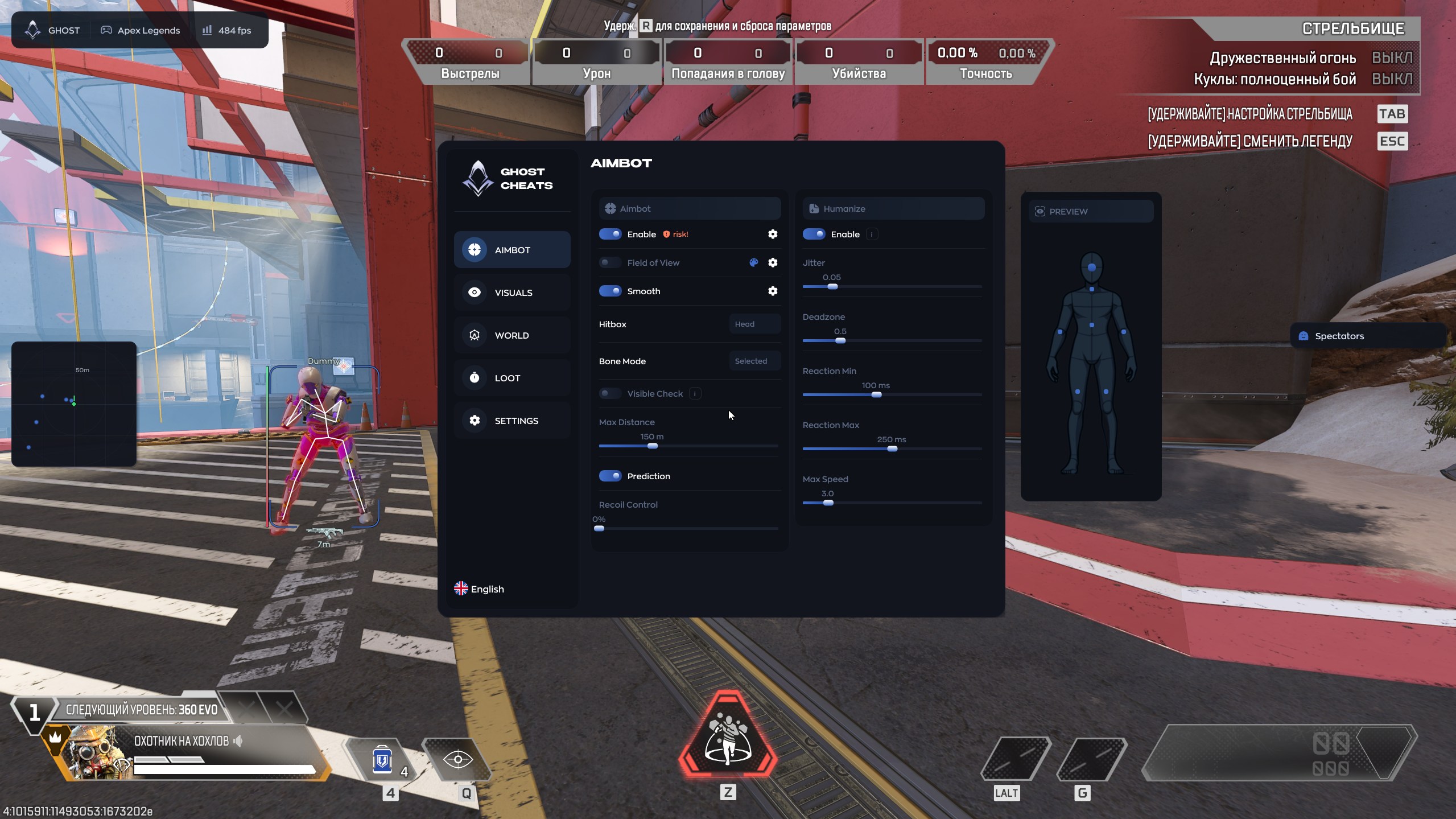
AIMBOT
- Enable — turns the aimbot on or off.
- Field of View — sets the target acquisition area.
- Smooth — adjusts aiming smoothness.
- Hitbox — selects the body area to target.
- Bone Mode — selects a specific model bone.
- Visible Check — targets visible opponents only.
- Max Distance — limits the operating distance.
- Prediction — accounts for target movement and bullet travel.
- Recoil Control — compensates for weapon recoil.
- Humanize — gives crosshair movement a more natural feel.
- Jitter — configurable micro-movements during aiming.
- Deadzones — areas where the aimbot does not adjust the crosshair.
- Reaction Min / Max — minimum and maximum reaction delay.
- Max Speed — limits the maximum aiming speed.
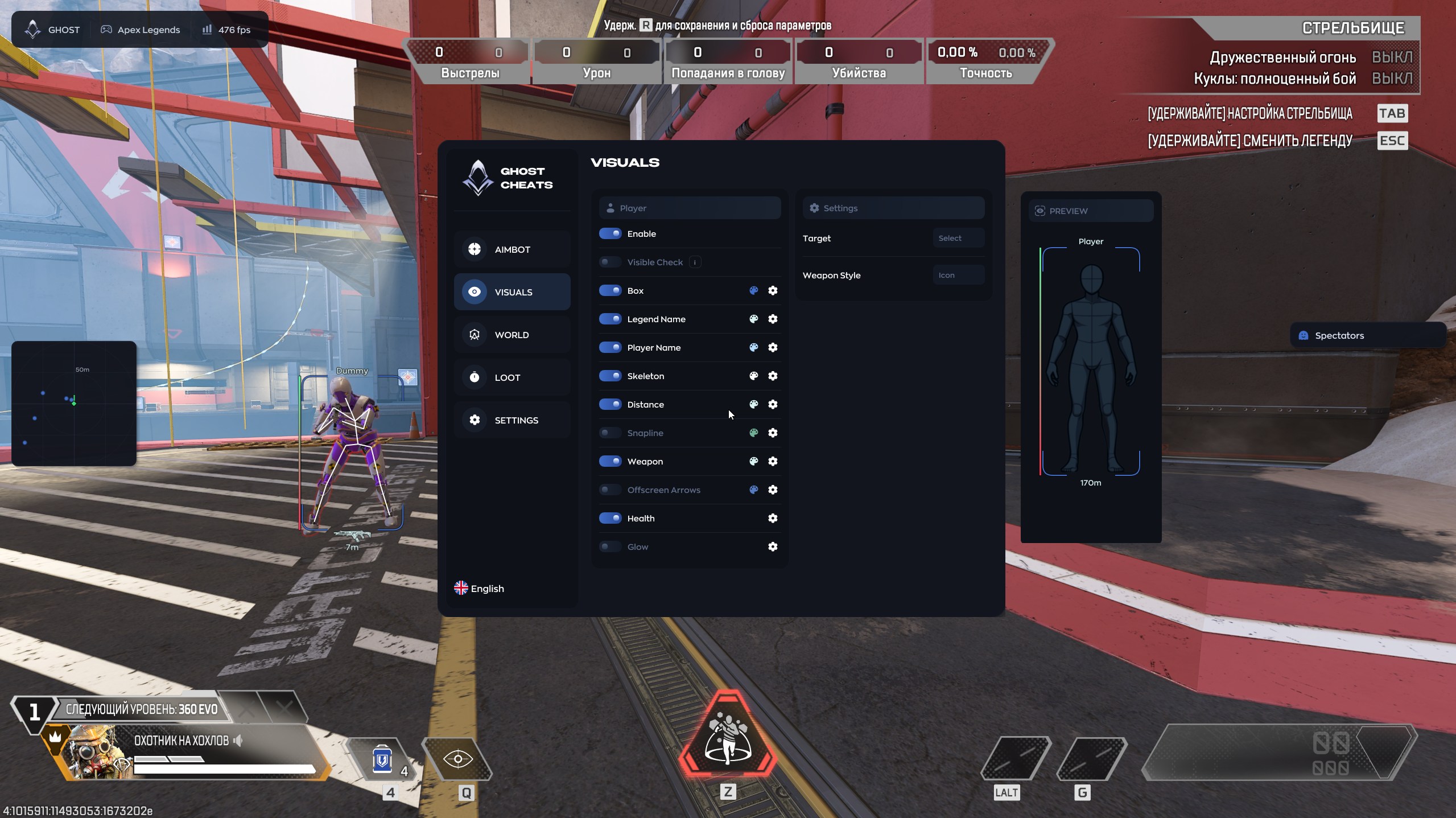
VISUALS
- Box — draws a box around a player.
- Legend Name — displays the opponent’s legend.
- Player Name — displays the player’s nickname.
- Skeleton — draws the model skeleton.
- Distance — displays the distance to the target.
- Snapline — draws a line from the player to the target.
- Weapon — displays the opponent’s weapon.
- Offscreen Arrows — points to enemies outside the visible area.
- Health — displays player health.
- Glow — highlights the player model.
WORLD / RADAR
- Enable — turns the radar on or off.
- Draw Outline — adds an outline around the radar.
- Draw Background — enables the radar background.
- Point Style — displays targets as dots, arrows or squares.
- Size — adjusts the radar window size.
- Max Distance — sets the maximum target display distance.
- Point Size — adjusts marker size.
- Zoom — changes the scale of the displayed area.
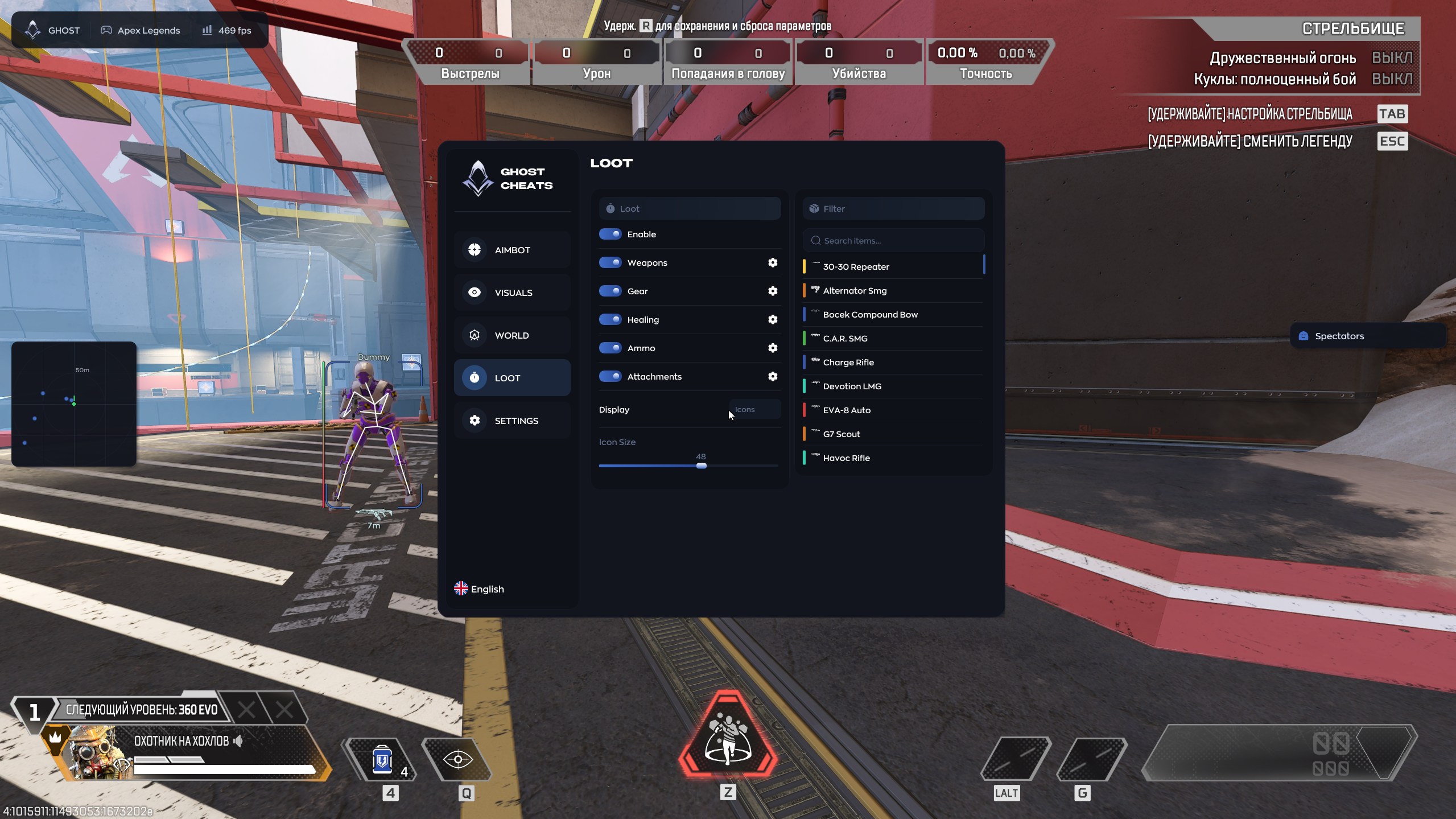
LOOT
- Enable — turns loot display on or off.
- Weapons — displays weapons.
- Gear — displays armor, helmets and backpacks.
- Healing — displays med kits, syringes and shield batteries.
- Ammo — displays ammunition.
- Attachments — displays sights, magazines and stabilizers.
- Icon Size — adjusts icon size.
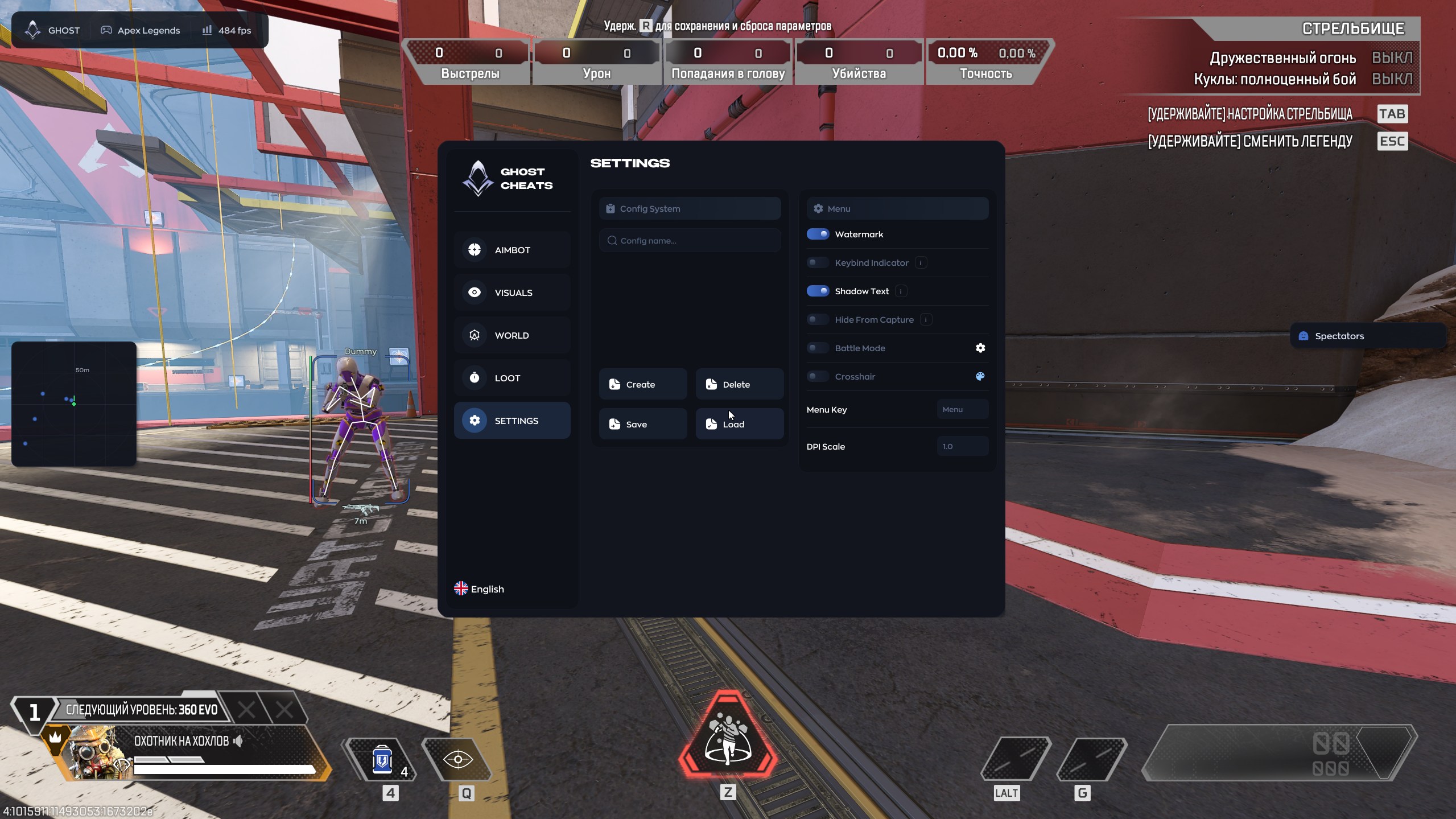
SETTINGS
- Config System — manages configuration profiles.
- Create / Delete / Save / Load — creates, deletes, saves and loads settings.
- Menu — customizes the menu appearance.
- Watermark — displays the product logo and name.
- Keybind Indicator — shows active hotkeys.
- Shadow Text — adds text shadows.
- Hide From Capture — hides the product interface from screen capture.
- Battle Mode — provides a simplified combat layout.
- Crosshair — enables a custom crosshair.
- Menu Key — selects the menu hotkey.
- DPI Scale — adjusts the interface scale.
System requirements
- Processor: Intel or AMD.
- Graphics card: NVIDIA or AMD.
- Operating system: Windows 10 or Windows 11, all versions.
- Game client: Steam.
- Game mode: Windowed or Borderless.
- Built-in spoofer: no.
- USB drive: not required.
Important: using third-party software may violate the Apex Legends rules and may result in restrictions on the game account. No ban-free guarantee is provided. Check the current product status and system compatibility before purchase.
You will need to download the program, insert the key that will be sent to your email, select the cheat you bought and click "Activate".
Then follow the instructions.
No customer reviews yet.