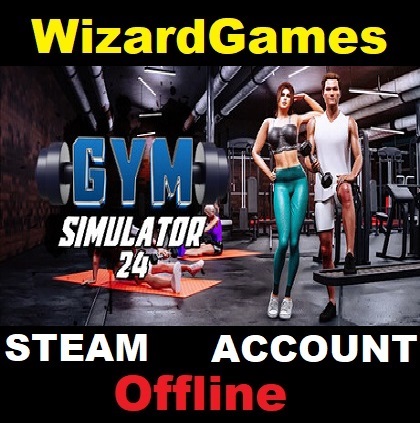
Gym Simulator 24
- Price in currencies:
- 1.27 $ · 100 RUB · 1.13 €
- Category:
- Steam Accounts
- Item:
- text information
- Uploaded:
- 02.09.2026 10:46:24
- Sales:
- 0
- Refunds:
- 0
- Seller:
- WizardGames · about the seller and their products
DESCRIPTION
Gym Simulator 24
🏋️♂️ Clean and customize your space: Start with a modest gym and take the first step towards transforming it into a stunning fitness sanctuary. From the color of the walls to the patterns on the carpet, the power to customize every detail is in your hands.💪 A variety of workout equipment: Start with a limited selection of training gear, but gradually upgrade your gym with modern equipment that meets the needs of every client. A wide range of exercise machines awaits your customization.
🥊 Boxing arena and thrilling excitement: take your gym to the next level by adding a boxing arena. Train athletes to become champions and captivate the audience with thrilling matches. Unlock betting opportunities to boost your income.🧖♀️ Luxurious amenities: Increase customer satisfaction by adding a touch of luxury with saunas and massage rooms. Provide an unforgettable fitness experience for your customers.
👗 Changing area: Create a changing area for clients seeking relaxation and recovery after a workout. Offer the latest trends in sportswear, making your gym a hub for both fitness and fashion.
The game is available in any region
, After purchase, you will immediately receive: Login:Password from the shared Steam account with the game
🔒 The game was purchased and activated on the seller´s personal account without hacking or changing the password,
There will be no other dirty tricks affecting the game and access to the account.
✔️Instant access to your account at any time.
✅The purchased game is constantly updated by the publisher (All updates are free)
🔄 Windows updates will not affect your game
,Detailed instructions are attached.
,Prompt support on all issues.
⚠️IMPORTANT:⚠️
Make sure that your PC meets the system requirements of the game. You can do this on the game´s Steam store page by scrolling down to the "System Requirements" section
🖥️To save the game progress on your PC, be sure to switch to offline mode (see point 4 of the instructions for activating the game)
☁️ The account is not suitable for cloud gaming (Geforce NOW, Playkey, etc.)
🔒The possible presence of account locks will not affect the game
We recommend that you refrain from changing any information and security settings on your account
, Support hours: from 10:00 to 23:00 Moscow time
, Instructions for activating the game:⚙️
1. Log in to your Steam account using the received data;
2. Download the game from the library;
3. Log in to the game once online until the main menu, then exit ;
4. Switch the Steam client to offline mode: In the upper-left corner, click on "Steam" ➔ "Go offline"
5. Enjoy the game
REVIEWS
Reviews: (0)
No customer reviews yet.