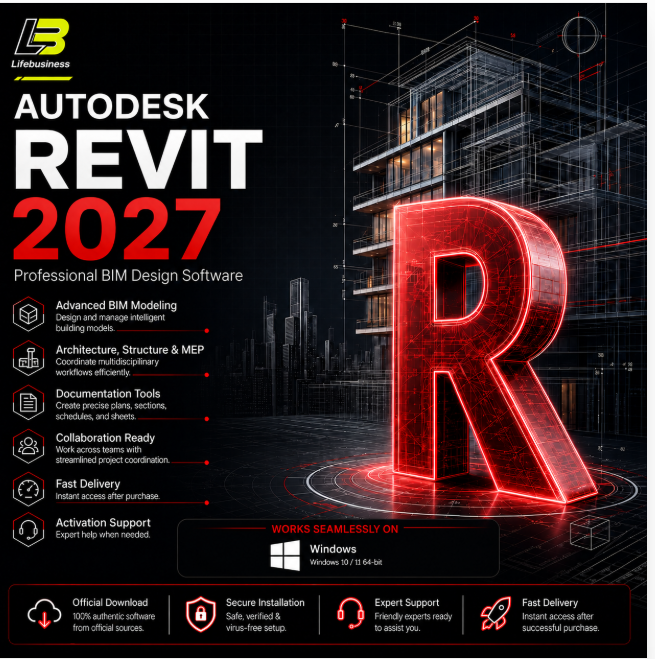
Revit License 6 months 2027 / 2026 / 2025 / 2024 | Autodesk
- Price in currencies:
- 2.38 $ · 179 RUB · 2.13 €
- Category:
- CAD
- Item:
- text information
- Sales:
- 1
- Refunds:
- 0
- Seller:
- Lifebusiness · about the seller and their products
DESCRIPTION
Revit License 6 months 2027 / 2026 / 2025 / 2024 | Autodesk
🔷 AUTODESK REVIT | ACCOUNT ACTIVATION
🏢 BIM DESIGN SOFTWARE | 📧 PERSONAL EMAIL | 💬 SETUP SUPPORT
━━━━━━━━━━━━━━━━━━
🏗️ SELECT YOUR REVIT VERSION
Choose ONE available Autodesk Revit version when ordering:
• Revit 2027
• Revit 2026
• Revit 2025
• Revit 2024
One purchase applies to one selected version.
━━━━━━━━━━━━━━━━━━
📦 WHAT YOU RECEIVE
📧 Activation linked to your Autodesk account
🔐 Private account access
📥 Download through the official Autodesk website
🛠️ Installation assistance
💬 Activation support
📖 Setup instructions
This product uses account activation.
No standalone activation key is delivered.
━━━━━━━━━━━━━━━━━━
⚙️ HOW ACTIVATION WORKS
1️⃣ Complete your purchase.
2️⃣ Select your preferred Revit version.
3️⃣ Send the UNIQUE CODE received after payment through the seller chat.
Example:
🔑 XXXXXXXXXXXXXXXX
4️⃣ Follow the account activation instructions provided by the seller.
5️⃣ Download Autodesk Revit from the official Autodesk website.
6️⃣ Install Revit and sign in using your activated Autodesk account.
━━━━━━━━━━━━━━━━━━
🎥 INSTALLATION GUIDE
Setup instructions:
will provide after purchase
━━━━━━━━━━━━━━━━━━
💻 AVAILABLE REVIT VERSIONS
📌 Autodesk Revit 2027
📌 Autodesk Revit 2026
📌 Autodesk Revit 2025
📌 Autodesk Revit 2024
Please confirm your selected version before activation starts.
━━━━━━━━━━━━━━━━━━
🏢 DESIGNED FOR BIM WORKFLOWS
Autodesk Revit supports professional BIM workflows for:
🏗️ Architecture
🏢 Building Design
⚙️ MEP Engineering
🏛️ Structural Engineering
📐 Construction Documentation
🧱 3D Building Modeling
📊 BIM Coordination
🗂️ Plans, Sections & Elevations
📋 Project Documentation
━━━━━━━━━━━━━━━━━━
🛠️ SUPPORT INCLUDED
Your purchase includes assistance with:
• Autodesk account activation
• Revit installation
• Official download guidance
• Account sign-in
• Version selection
• Installation errors
• Common activation issues
If you experience a problem, please contact the seller through the order chat before leaving feedback.
Sending a screenshot of the error helps identify the issue faster.
━━━━━━━━━━━━━━━━━━
🕐 CUSTOMER SUPPORT HOURS
🇰🇭 Cambodia Time
08:00 AM – 10:00 PM
Messages received outside these hours will be answered during the next support period.
━━━━━━━━━━━━━━━━━━
💻 BEFORE INSTALLATION
✅ Check Autodesk´s system requirements for your selected Revit release.
✅ Confirm your Autodesk account details.
✅ Remove damaged or conflicting Revit installations when required.
✅ Restart your computer after uninstalling older software when needed.
✅ Download installation files through Autodesk´s official website.
✅ Select the correct Revit version before activation.
━━━━━━━━━━━━━━━━━━
🎓 PRODUCT INFORMATION
🔷 Product: Autodesk Revit
🏢 Software Type: BIM Design & Engineering
🎓 License Category: Educational Access
📧 Activation Type: Autodesk Account Activation
🔐 Account: Personal Autodesk Account / Email
📦 Supported Versions: 2027 / 2026 / 2025 / 2024
📥 Download Source: Official Autodesk Website
🛠️ Installation Assistance: Included
💬 Activation Support: Included
━━━━━━━━━━━━━━━━━━
⚠️ IMPORTANT INFORMATION
This product is intended for eligible educational use.
Autodesk education eligibility, permitted usage, supported versions, product availability, and account requirements are subject to Autodesk´s current terms.
Please confirm eligibility before purchasing.
━━━━━━━━━━━━━━━━━━
💙 ORDER PROCESS
🛒 Purchase
⬇️
📩 Send Unique Code
⬇️
🔐 Account Activation
⬇️
📥 Official Download
⬇️
⚙️ Install Revit
⬇️
✅ Sign In & Start
Thank you for choosing Autodesk Revit.
REVIEWS
Reviews: (0)
No customer reviews yet.