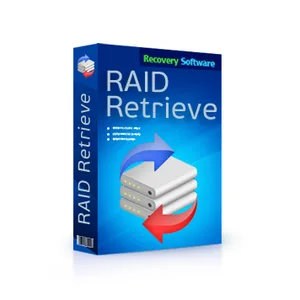
RS RAID Retrieve Unlimited Edition Win/Mac/Linux lifetime key
- Price in currencies:
- 16 $ · 1538 RUB · 14.27 €
- Category:
- Others
- Item:
- text information
- Uploaded:
- 21.07.2026 9:22:37
- Sales:
- -1
- Refunds:
- -1
- Seller:
- liudilasch · about the seller and their products
DESCRIPTION
RS RAID Retrieve Unlimited Edition Win/Mac/Linux lifetime key
RS RAID Retrieve Unlimited Edition for Windows/Mac/Linux – Lifetime License Key for Version 3.2 (Latest Version)
🔴 This key is valid only for RS RAID Retrieve version 3.2.
🔴 Future updates are not supported.
RS RAID Retrieve Unlimited Edition is the premium commercial version of this professional software tool from RecoverySoftware, designed for the automatic reconstruction of damaged RAID arrays and the recovery of lost data. Unlike basic licenses, the Unlimited Edition removes all restrictions on the number of disks used within an array and grants legal permission to use the software for commercial purposes (e.g., in data recovery service centers).
Key Features:
Automatic Assembly: The software automatically detects the original disk order, block size, and array type—even if the RAID controller has failed.
Support for All Configurations: Correctly reconstructs RAID 0, RAID 1, RAID 5, RAID 6, and RAID 10 arrays, as well as JBOD and combined arrays.
Network Storage Support: Directly recovers files from multi-disk NAS devices (Synology, QNAP, ASUSTOR) and virtual machines.
Bypassing Failures: Operates effectively in scenarios where the operating system fails to recognize the logical volume or reports the disks as unallocated.
How to Use the Program:
Connection: Remove the drives from your NAS or RAID controller and connect them directly to a Windows PC.
Scanning: Launch the built-in RAID constructor within RS RAID Retrieve.
Analysis: The software reads the service headers and displays the reconstructed virtual array within the list of available drives.
Saving: Initiate a deep file scan and copy the recovered data to a separate, healthy storage medium.
Additional information:
Download the software from the official website:
https://recoverhdd.com/repair-raid-and-retrieve-data
REVIEWS
Reviews: (0)
No customer reviews yet.