🔥Windows 10/11 HOME/PRO💎ONLINE ACTIVATION🌍PayPal 🔑
- Price in currencies:
- 27.32 $ · 2000 RUB · 24.42 €
- Category:
- Windows
- Item:
- text information (29 characters)
- Uploaded:
- 21.02.2025 13:50:18
- Sales:
- 24
- Refunds:
- 0
- Customer rating:
- 5.0 of 5 +6 / −0
- Seller:
- CyberDigitalSupply · about the seller and their products
DESCRIPTION
🔥Windows 10/11 HOME/PRO💎ONLINE ACTIVATION🌍PayPal 🔑
💎 MICROSOFT OFFICIAL PARTNER - BUY GENUINE LICENSE KEY - PLATI.RU VERIFIED💎
❌ Please DO NOT leave NEGATIVE FEEDBACK before approaching us! Please give us time to resolve your issues! We want to help!
💎 Instant delivery of the key to your email address.
✅ Language - ALL.
✅ OS Architecture Support: x32/x64 bits.
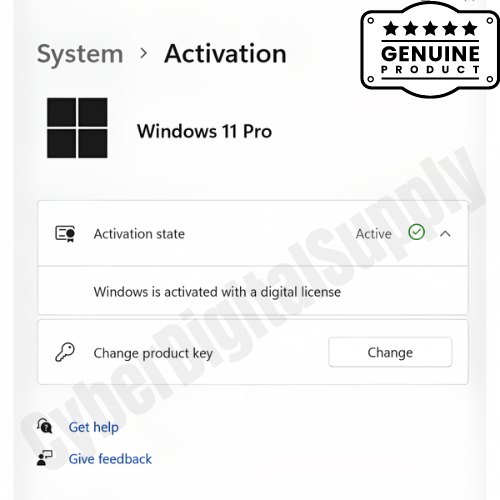
✅ 100% Official Retail License Key. Linked To Microsoft Account Upon Activation
✅ Support reactivation/reinstallation on the same machine
✅ Region: GLOBAL
✅ All licenses are 100% perpetual/permanent.
✅ Full Microsoft Warranty after activation.
✅ Online Activation through Microsoft server.
📌 For 1 PC
📌 The Windows Pro License Key can be used to upgrade from Windows Home
Additional information:
❌ Please do not leave NEGATIVE feedback without first consulting with us! Should you face any issues, please give us time to resolve your issues! We want to help!
Instructions for Getting Windows Installation Media:
1. First, you need to go to the official website (Choose which Windows OS you want to install)
Windows 10: https://www.microsoft.com/software-download/windows10
Windows 11: https://www.microsoft.com/software-download/windows11
and click the "Download Now".
2. Launch the downloaded tool and follow through the setup wizard. When prompted, select “Create installation media”.
3. Install the OS on your computer using the media file created.
Video Guide: https://www.youtube.com/watch?v=Mfp0ROs-e3U
💡 If you already have the original Windows 10/11 Home/Pro installed, simply activate using the purchased activation key. Please refer to this website to learn how to activate: https://support.microsoft.com/en-us/windows/activate-windows-c39005d4-95ee-b91e-b399-2820fda32227