
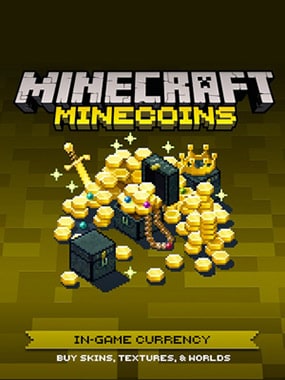
Minecraft Minecoin Pack 1720 Coins EGYPT
INSTANT DELIVERY IMMEDIATELY AFTER PAYMENT
After paying for the order, you will receive a code to top up your Minecraft game account with 1720 Coins.
WHAT IS MINECOINS?
Minecoins are the in-game currency that you can use to purchase skins, texture packs, worlds, and more on the Minecraft Market.
WHAT PLATFORMS DO MINECOINS AND MARKET CONTENT CODES WORK ON?
Minecoins and Marketplace content are available for Android, iOS (iPhone and iPad), Amazon Kindle Fire, Amazon Kindle Fire TV, Oculus, Windows, Windows Mobile and Xbox.
I HAVE A PROBLEM WITH ACTIVATING THE CODE. WHAT SHOULD I DO?
If your prepaid code is not working or you receive an error message when you try to activate it, please refer to our article on troubleshooting problems with prepaid codes.
THE CODE FOR THE CONTENT IS ACTIVATED, BUT I CAN´T FIND IT. WHAT SHOULD I DO?
During the game, open the store (Market) and click the button next to your account name to view your inventory. Your items will appear in the list. Click the item icon and download it to your device.
DO I NEED AN XBOX LIVE ACCOUNT?
Yes, we use Xbox Live to make your Minecoins and Market content available on any supported platform.
HOW TO CHANGE ACTIVE XBOX ACCOUNT?
There are different ways to change your Xbox account, depending on the platform you are using.
Windows
To change the Xbox account you use in Minecraft for Windows, first launch the Xbox app.
Close Minecraft
Open the Start menu and find the Xbox app
Launch the Xbox app
Go to Settings and select Sign out
Follow the instructions below to register for the app using the correct account.
Xbox
Press the Xbox button to open Assistant
Select the gamer picture from the account you want to switch to
If the account is not in the list, you can add it by clicking Add new.
Nintendo Switch, VR devices, tablets and mobile devices (iPhone, iPad, Android, Kindle Fire, FireTV and Oculus)
Launch Minecraft
Select Settings from the main menu
Select the Profile tab
Select the command Sign out of your Microsoft Account (Log out of your Microsoft account)
Return to the main menu, select Sign in with a Microsoft Account and follow the instructions
HOW DO I KNOW WHICH MINECRAFT ACCOUNT I´M USING?
After logging into Minecraft, you will see your player name on the main screen, which also appears at the top of the Market page.
How to redeem Minecoins?
Visit Minecraft website, https://www.minecraft.net/en-us/redeem/minecoins
Enter the code and you will automatically be sent to the Microsoft website to complete the redemption.
Once you´ve entered all the details and completed the instructions, you can start the Minecraft game and use your Minecoins.
No customer reviews yet.