
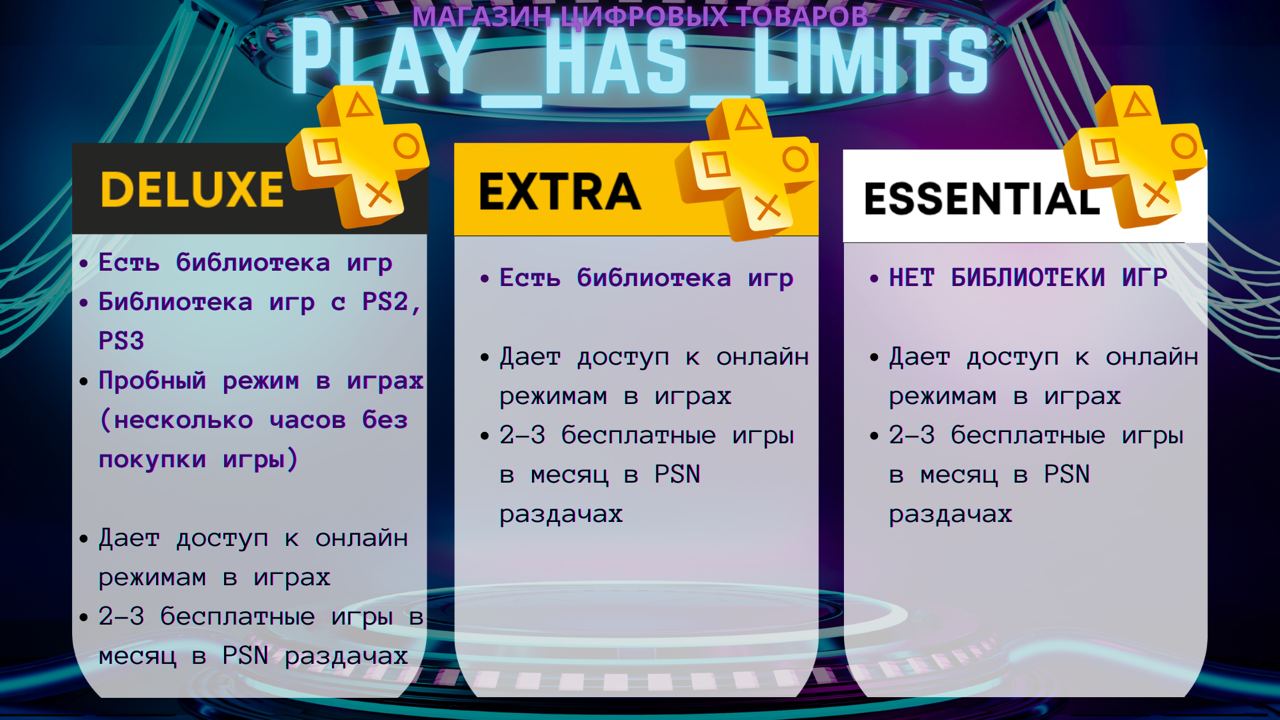
Playstation PLUS PSN Essential/EXTRA/DELUXE Ukraine UA
💳To pay by card without commission, we recommend using the payment method: LAVA, QIWI, Binance Pay.
🔥🔥ALL GAMES 100% IN RUSSIAN LANGUAGE (if provided by the developers), SHOP IN RUSSIAN LANGUAGE, UNLIKE THE TURKISH ACCOUNT, WHERE ALMOST ALL EXCLUSIVES AND SHOP IS IN ENGLISH🔥🔥
🔥🔥 In Russia, EVERYTHING works without problems, you won´t even feel the difference with a Russian account. PS Store is NOT different from the Russian one. ALL games that are not available in Russia will be available on your account! 🔥🔥
Instructions:
1️⃣ Enter the cost of the game/add-on/subscription in hryvnias (UAH) in the appropriate field (link to Ukrainian store: https://store.playstation.com/ru-ua/pages/latest).
2️⃣ Enter login (mail) and password from PSN account, and also fill in the field with the name of the desired game (subscription/addition or write "Refill"). If you don´t have an account, select "I need a new account" and write it in the fields. Pay.
3️⃣ In correspondence with the seller specify the unique code received after payment.
4️⃣ Wait for a message from the seller about the successful completion of your order.
📅The average time to work on an order if all the data is correct is 5-15 minutes (sometimes more due to unstable services or a large number of orders), if the data is incorrect or insufficient, the deadline is after you provide the correct data.
♻️ We issue a refund with a deduction of 20% of the purchase amount (in cases where the problem is not on our part)
P. 1 - 2-STEP AUTH CODES ARE REQUIRED, because without it, PSN often blocks login from another device, and also to save us and your time, so that the seller does not wait until you provide an SMS or code from the mail and you do not wait until the seller will take your order and request these codes.
▪️How do I turn on 2-Step Verification?
Select Settings > Account Management > Account Information > Security > Two-Step Verification>Activate>Select how you want to receive the code via SMS (you can send it to Russian numbers!) or the Authenticator app (you can download it from the Play Market or the App Store)
▪️ Where can I find backup codes now? In the console menu or in the web version of your personal account: "Settings" > "Users and accounts" > "Security" > "Backup codes"> THEIR TYPE OF NUMBERS AND LETTERS OF THE TYPE: 3dGE67, T69Hee, P6yrD2, etc.
P. 2 - UNIQUE 16-digit code of the form: 15HDT6KKDS097RLS, you receive after paying for the goods, it can be found at the top of the page of your order and must be written to the correspondence with the seller, which is located at the bottom of the page of your order. You can find your order here https://oplata.info
No customer reviews yet.