 Discount for regular customers! If the total of your purchases from the seller
sosimple
exceeds:
Discount for regular customers! If the total of your purchases from the seller
sosimple
exceeds:
- $10000 discount 3%
- $5000 discount 2%
- $999 discount 1%

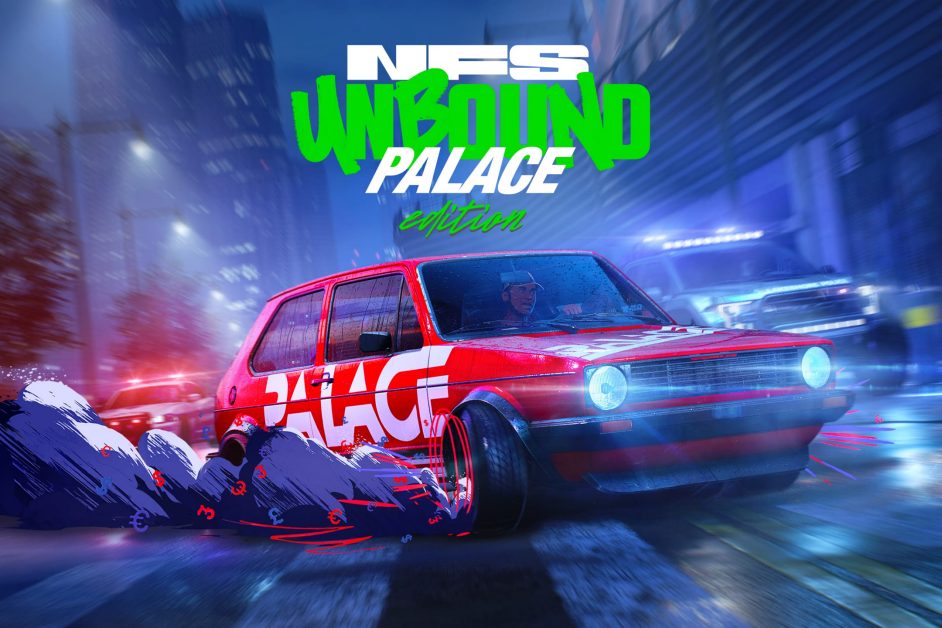

✅Need for Speed Unbound Palace Edition XBOX X|S 🔑 KEY
Activation region: Taiwan✅
To activate the key, you need a VPN with a connection to Taiwan✅
After activation, the game WITHOUT REGIONAL RESTRICTIONS✅
The game is forever associated with your Microsoft account✅
You can download the game in any region and at any time, with all available languages ✅
Available options can be explored on the Microsoft website✅
After payment you will receive Need for Speed Unbound Palace Edition❗
✅ KEY FOR PERSONAL USE!
NOT FOR RESALE
AFTER PURCHASE GUARANTEE 24H ✅
💥💥💥💥💥💥
Activation instructions from PC
1. Install the free application Hola Free VPN Proxy/VPN Unlimited/ Seed4.Me / VPN.lat / CyberGhost / UrbanVpn or any other with the desired country
2. Sign in with your Microsoft account (microsoft.com)
3. Turn on the VPN of the desired country, specified during purchase
4. Check the country of the IP address on the device (https://2ip.ru/ or https://whoer.net/), if the IP address corresponds to the country specified when purchasing the game, you can proceed to the next step.
5. In the address bar, go to https://redeem.microsoft.com
6. Enter the key, click next and activate.
7. In rare cases, it is necessary to change the region of the account itself to the region of the game. After activation, you can return it back.
8. The game should start installing automatically on the console. In some cases, it is necessary to force the download to start. Go to the Microsoft store, find the game you purchased and download it.
9. After installation, you can play.
Activation instructions from an Android phone
Application on iPhone may be paid
1. You will need any VPN Unlimited / Seed4.Me / VPN.lat / CyberGhost / UrbanVpn / Hola Free VPN Proxy app of your choice
2. Sign in with your Microsoft account (microsoft.com)
3. Turn on the VPN of the desired country, specified during purchase
4. Check the country of the IP address on the device (https://2ip.ru/ or https://whoer.net/), if the IP address corresponds to the country specified when purchasing the game, you can proceed to the next step.
5. In the address bar, go to https://redeem.microsoft.com
6. Enter the key, click next and activate.
7. In rare cases, it is necessary to change the region of the account itself to the region of the game. After activation, you can return it back.
8. The game should start installing automatically on the console. In some cases, it is necessary to force the download to start. Go to the Microsoft store, find the game you purchased and download it.
9. After installation, you can play.
More and more providers are blocking access to VPN, if one does not work, then try another or change your Internet connection.
We are not responsible for the inoperability of the VPN you have chosen.
Shop opening hours from 9-21 Moscow time
Please note that digital goods cannot be returned.
💥💥💥💥💥💥
No customer reviews yet.
Discount for regular customers! If the total of your purchases from the seller
sosimple
exceeds: