Здравствуйте.
Купил на пробу, жене.
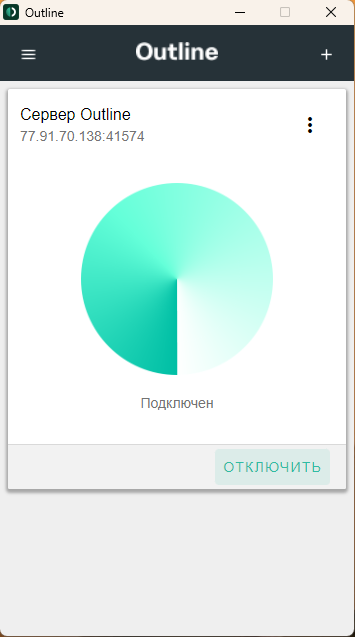
Всё хорошо работает.
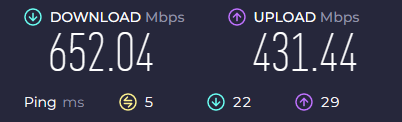
Высокая скорость.
Спасибо.


7 0
🔑🔵VPN OUTLINE FINLAND❤️High Speed❤️Block-Free✅Private
🌟By purchasing this product you get a UNIQUE key for Outline VPN
❗️This is not a hacked account! Access to one key is provided only to one buyer
🕐When buying 50GB or 100GB of traffic, you will receive a key that will be valid until you use up all the data. Keys taken for a certain period of time (month/3 months/6 months) do not have traffic restrictions and are valid until the end of the purchase period
🔥For a positive review, you will receive an additional 25GB of traffic when purchasing a 50 GB or 100 GB plan / + 2 weeks to the validity period when buying a one or three months, or an additional month when buying a key for 6 six months!
❤️The server is located in Finland, so in the Russian Federation you will get the maximum possible speed up to 1 Gpbs. The service also works in most countries of the world.
🔑The service uses the secure Shadowsocks protocol with modern encryption
🌍You can use VPN on multiple devices
🏆 We do not have access to any of your data, so you are completely safe!
🏆Within 24 hours, a refund is guaranteed, and after this period you can contact support for help and replacement
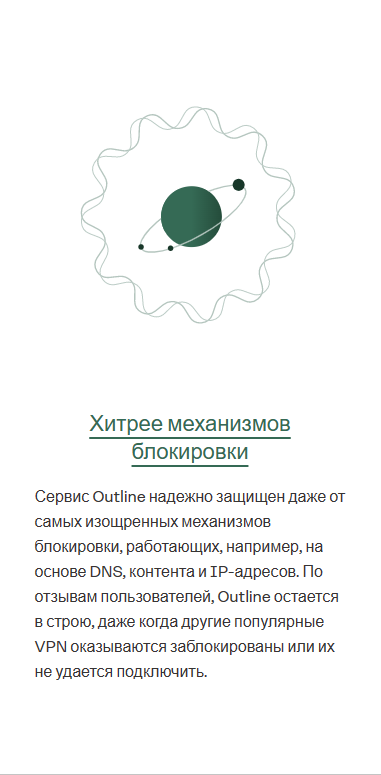
🏆Since this is a personal service with reliable protection, you are not threatened with blocking
📱The connection app is available on all major platforms (iOS, Android, Windows, Linux, Mac OS and more)
Instruction:
💡1) Buy a VPN for the period you need
📱2) Install the Outline app on your device. Links:
iOS: https://itunes.apple.com/app/outline-app/id1356177741
macOS: https://itunes.apple.com/app/outline-app/id1356178125
Windows: https://s3.amazonaws.com/outline-releases/client/windows/stable/Outline-Client.exe
Linux: https://s3.amazonaws.com/outline-releases/client/linux/stable/Outline-Client.AppImage
Android: https://play.google.com/store/apps/details?id=org.outline.android.client
Additional link for Android: https://s3.amazonaws.com/outline-releases/client/android/stable/Outline-Client.apk
⛓3) Copy the key you received upon purchase. It starts with "ss://...""
⚡️4) Open the installed Outline application, the copied link should be recognized automatically, agree to add it. If the link was not added automatically, paste it into the text box. Then click "Connect"!
✅5) Done! Now you have full access to the Internet!