
3 0
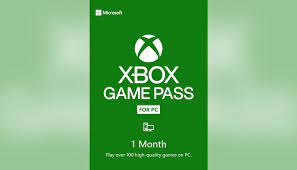
🔅Xbox Game Pass 1 Month PC+EA🌍 TRIAL🗝️
-Keys
-Subscriptions
-Purchase services on account
Fast customer service, please contact, if you buy several items, discounts are possible 🧑⚖️
🎁How to make 2 months Ultimate: 🎁
1. Activate 1 month pc key
2. After activating 1 month of PC, activate 1m Ultimate Global (https://plati.market/itm/3497602) or when changing IP (VPN) when activating Xbox Game Pass Ultimate 1 month to the EU country (https://plati. market/itm/3313642)
3. As a result, you get 2 months of ultimate at a super bargain price
Product Type: Activation Code
Subscription duration: 1 month
Platform: PC
The code is valid until 04/25/2023 (⚠️ 24 hour guarantee, activate immediately!)
Warranty: 24 hours from the date of purchase to activate
Activation region: Argentina, Australia, Austria, Belgium, Brazil, Canada, Chile, Colombia, Czech Republic, Denmark, Finland, France, Germany, Greece, Hong Kong, Hungary, India, Ireland, Israel, Italy, Japan, Mexico, Netherlands, New Zealand, Norway, Poland, Portugal, Saudi Arabia, Singapore, Slovakia, South Africa, Spain, Sweden, Switzerland, Taiwan, UAE, UK, USA
Account region: any (Russia does not work, you need to change it to a European country), regions: https://www.xbox.com/ru-RU/regions
⚠️Account activation: for new accounts. Codes don´t match
Additional information: to activate the code, you must add a payment method to your account (RU card is not suitable)
⚠️For buyers ⚠️
✔️ Activate the key, after activation you can change the region back
✔️ Activate with your phone or PC
✔️ You do not have an active subscription and did not have them at all
✔️ Otherwise you will not be able to activate the code!!!
✔️To activate the code, it is enough to have a free VPN application. Before activating the code, you need to select the country of the region Germany, USA, etc.
Russian cards do not work!
If you do not have a suitable card, write to the "Correspondence with the seller", we will definitely help you
🚩 Activation 🚩
1️⃣ After purchase, change the account country to Germany, USA, etc.
2️⃣ Next, connect the VPN to the country of India
3️⃣ Sign in to your Microsoft account (if you´re not already signed in)
2️⃣ Paste / enter the 25-digit code received after payment, then click Next / next.
4️⃣ Choose a payment method, enter your card details.
5️⃣ Double-check that all the data is correct and click Confirm!
Or you can use the link: https://redeem.microsoft.com
 Discount for regular customers! If the total of your purchases from the seller
Gamesfor_Xbox
exceeds:
Discount for regular customers! If the total of your purchases from the seller
Gamesfor_Xbox
exceeds: