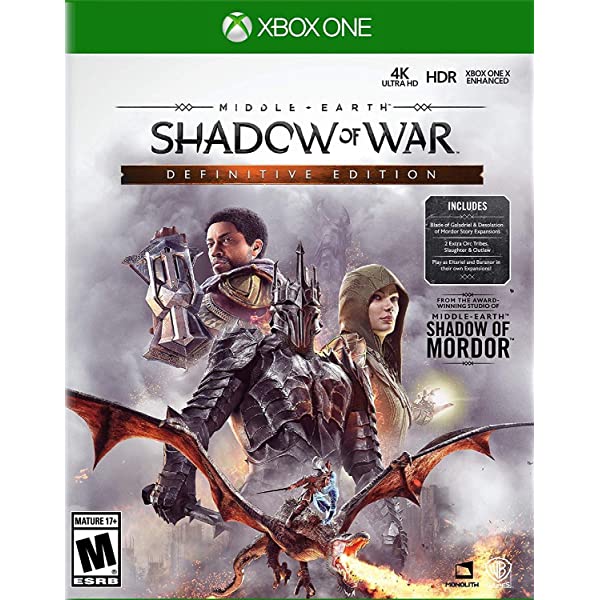
Middle-earth Shadow of War Definitive Edition Xbox Key
- Price in currencies:
- 8.96 $ · 661 RUB · 8.04 €
- Category:
- Middle-earth: Shadow of War
- Item:
- text information (29 characters)
- Uploaded:
- 09.01.2023 18:14:33
- Sales:
- 0
- Refunds:
- 0
- Seller:
- Dzkeys · about the seller and their products
DESCRIPTION
Middle-earth Shadow of War Definitive Edition Xbox Key
INSTANTLY AFTER PAYMENT YOU GET AN OFFICIAL / LICENSE KEY TO ACTIVATE THE GAME
Middle-earth: Shadow of War Definitive Edition FOR XBOX ONE
To activate the key requires a VPN with a connection to Argentina
After activating the game WITHOUT REGIONAL RESTRICTIONS
The game is forever associated with your Microsoft account
You can download the game in any region and at any time, with all available languages
Additional information:
Activation instructions from Android phone
Application on iPhone may be paid
1. Download any VPN Unlimited app or Seed4.Me / VPN.lat / CyberGhost / UrbanVpn
2. Log in to your xbox account, carefully enter your account information
3. In the address bar, follow the link https://redeem.microsoft.com and then turn on the VPN with a connection to Argentina
4. Enter the key, click next and activate, download the game on your XBOX ONE / XBOX SERIES X|S console
5. Sometimes you need to restart the console for the game to appear on your account.
7. The game is displayed in the "my games" section or in the store search, click the "Install" button
Activation instructions from PC
1. Install the browser extension VPN Unlimited or Seed4.Me / VPN.lat / CyberGhost / UrbanVpn
2. Log in to your xbox account, carefully enter your account information
3. Go to https://redeem.microsoft.com
4. Turn on your VPN and choose to connect to Argentina
5. Enter the key, click next, confirm activation
6. Now you can safely download the game on your XBOX ONE / XBOX SERIES X|S console
7. Sometimes you need to restart the console for the game to appear on your account.
8. The game is displayed in the "my games" section or in the store search, click the "Install" button
REVIEWS
Reviews: (0)
No customer reviews yet.