

1 0
AdjProg Reset-L3100L3101L3110L3150L3151L3156L3160L1110
Absorbent Reset Adjustment Programs for EPSON printers: L3100 L3101 L3110 L3150 L3151 L3156 L3160 L1110. The product can be used repeatedly!!! To reset the absorbent of the EPSON L3100 L3101 L3150 L3151 L3156 L3160 L1110, printers, select the item Epson L3110 model. Detailed instructions for the discharge of the absorbent are attached: https://telegra.ph/Instrukciya-sbrosa-absorbenta-EPSON-10-14
Instructions for resetting the "diaper" using the Adjustment Program Reset Epson L series reset the diaper, ink counter
1.Run the program by double-clicking on the file Adjprog.exe
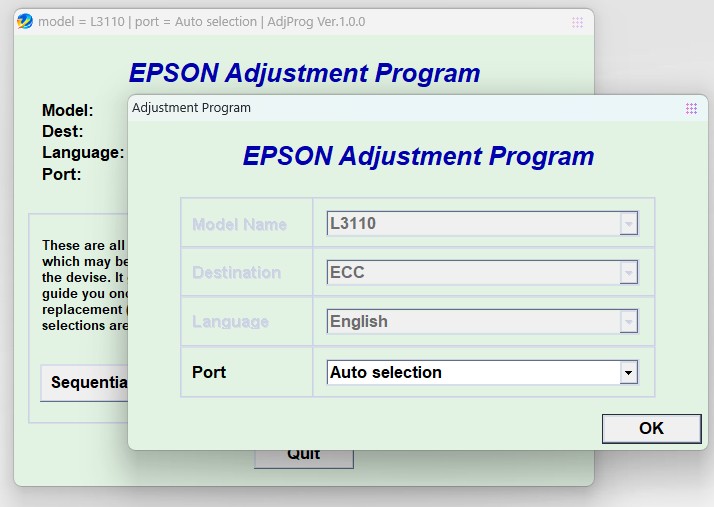
2.After opening, in the program window that appears, click the Select button
3.In the Model Name field, select your printer model, in our case it is Epson L3110.
4.Also, be sure to select the port to which your printer is connected (for example, Auto selection). Click OK and return to the previous window.
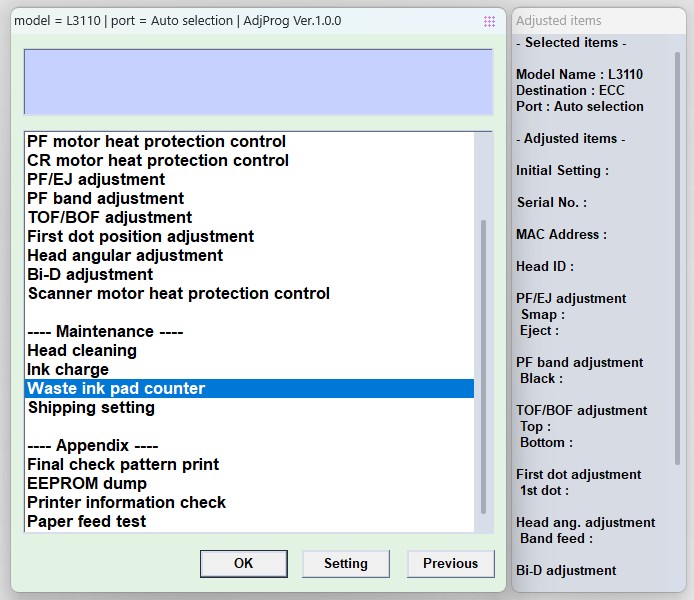
5.Enter the service mode by clicking on the PARTIAL ADJUSTMENT MODE button
6.Find the Waste ink pad counter item and click on it with the mouse twice
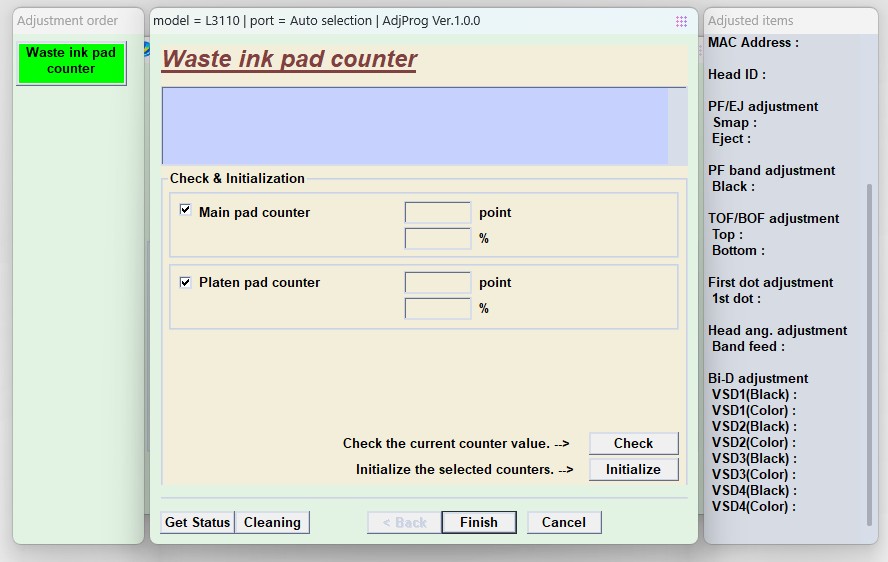
7.Click the Check button to see which counter is how full, and which counter needs to be reset
8.In our case, the Main pad counter is full, to reset it, put a check mark next to it and click the Initialize button, we will reset both counters. Please pay attention to this point: if there are unpublished tasks in the print queue, then the program may hang, so do not forget to clear the print queue, in some cases, it is worth restarting the computer
9.In the next window, a notification will appear "After clicking on the OK button, the counters will be reset", so click the OK button
10.Next, you will see a notification about the need to turn off the printer with the On button.\Off. therefore, turn off the printer and turn it on again:
11.After turning on your printer, the error "Maintenance required. Contact the service center." will not appear, the "Drop" and "Paper" indicators will stop flashing, and you will be able to continue your work, all this provided that you clearly followed the recommendations in this entry. Have a nice typing!