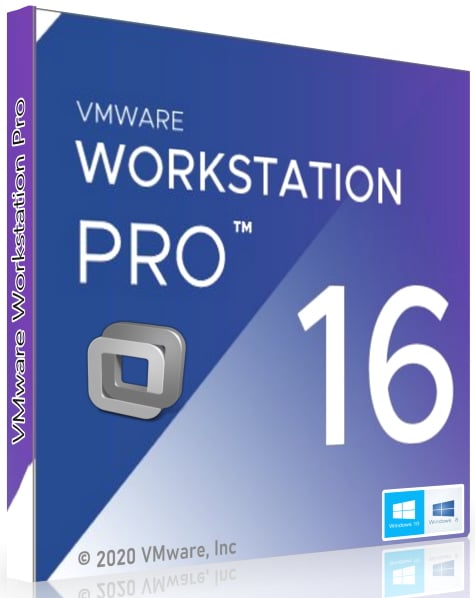


VMware Workstation 16 PRO Lifetime Global CD KEY
- Price in currencies:
- 8.89 $ · 717 RUB
- Category:
- OS Management
- Item:
- text information (1009 characters)
- Uploaded:
- 21.08.2022 17:40:09
- Sales:
- 0
- Refunds:
- 0
- Seller:
- SOFTY KEYS · about the seller and their products
DESCRIPTION
VMware Workstation 16 PRO Lifetime Global CD KEY
The product key is a 25-character code used to activate the software.
It looks like this: PRODUCT KEY: XXXXX-XXXXX-XXXXX-XXXXX-XXXXX
1. Download the program from the official website.- https://www.vmware.com/ru/products/workstation-pro/workstation-pro-evaluation.html
2. Open the program and click "Activate product"
3. Enter the key and follow the instructions
Without a product key, you won´t be able to activate the software.
𝐈𝐌𝐏𝐎𝐑𝐓𝐀𝐍𝐓|𝐈𝐌𝐏𝐎𝐑𝐓𝐀𝐍𝐓|𝐈𝐌𝐏𝐎𝐑𝐓𝐀𝐍𝐓
KEY CAN BE USED ONLY ONCE!
1 Key = 1 Device.
License: LIFETIME
Our warranty: 3 months (that doesn´t mean that the product will stop working after 3 months)
Lifetime license key for VMware Workstation 16 Pro uses only.
The license key is not intended for registration or creating an account.
The license key is only for the activation of the product.
--------------------------------------------------------------------------------------------------
📘Description📘
Build and test for any platform with VMware Workstation! VMware Workstation Pro is the industry standard for running multiple operating systems as virtual machines (VMs) on a single Linux or Windows PC. IT pros, developers, and companies who build, test, or demonstrate software for any device, platform or cloud rely on Workstation Pro.
Features of VMware Workstation Pro
Below are some of the amazing features you can experience after installing and activating VMware Workstation Pro 16.
⭐Create new virtual machines
⭐Create large virtual machines (16 CPU, 64 GB RAM, 3 GB VRAM)
⭐More than 200 supported guest OS
⭐Mass Deployment
⭐ Host / Guest Integration
⭐Share host / guest files
⭐ Run virtual machines in different view modes
⭐3D graphics with DX10.1 and OpenGL 3.3 support
⭐ Drag and drop tabbed interface
⭐One-Click SSH for Linux VM
⭐ Device support
⭐ 4K display support
⭐Support for a wide range of virtual devices
⭐Support USB smart card reader
⭐Support USB 3.0 devices
⭐Works with assistive devices (Section 508 compliant)
⭐Multi-language keyboard support
⭐Security Features
⭐Support for security based on Microsoft virtualization (guest)
⭐Virtual Trusted Platform Module (vTPM)
⭐ UEFI boot support
⭐Support UEFI Secure Boot
⭐Create / manage an encrypted virtual machine
⭐Rename virtual network
⭐Advanced functions
⭐Run Managed / Restricted Desktop
⭐REST API Control
⭐vCenter Server Appliance Easy Deployment
⭐ Command line: vmrun
⭐Snaps
⭐Run multiple virtual machines at the same time
⭐Run encrypted virtual machine
⭐Virtual network setup
⭐ Virtual network simulation (packet loss, latency)
⭐Virtual cloning machine
⭐Share a virtual machine (workstation server)
⭐Connect to vSphere / ESXi Server
⭐Remote vSphere host power management.
❗️System requirements: ❗️
Before installing VMware Workstation, you need to know if your system meets the recommended or minimum system requirements.
Operating system: Windows 7/8 / 8.1 / 10
Memory (RAM): 4 GB of RAM required.
Hard Disk Space: 1 GB of free space required for a full installation.
Processor: Intel Pentium i3, multi-core, GHz or higher.
Compatibility architecture: 64 bit (x64)
REVIEWS
Reviews: (0)
No customer reviews yet.
DISCOUNTS
Discounts:
Discount for regular customers! If the total of your purchases from the seller SOFTY KEYS exceeds:
- $500 discount 20%
- $100 discount 15%
- $50 discount 10%
- $10 discount 5%