
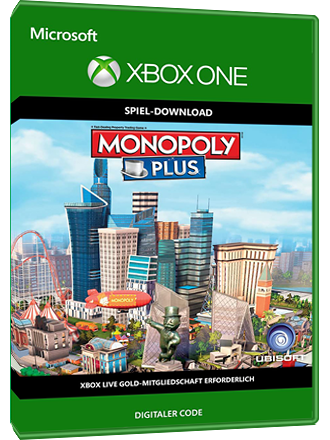
▶️MONOPOLY PLUS /XBOX ONE/ +GIFT🔑Key
- 🏆JUST WRITE US IN THE ONLINE CHAT AND WE WILL ADD IT TO THE PLATI SALES
- 🏆 BUYING THE GAME ONLY FROM US YOU CAN BE SURE OF THE PRODUCT QUALITY GUARANTEE 🔥
- 🏆 A DISCOUNT AND A GIFT IS PROVIDED FOR EVERY YOUR ORDER 🎁
Immediately after payment, you will receive a license KEY to activate the game for the XBOX ONE console, Series X | S
MONOPOLY PLUS
📌 To activate the key, you need a VPN with a connection to Argentina 🇦🇷
📌 After activation, the game WITHOUT REGIONAL RESTRICTIONS
📌 The game is forever associated with your Microsoft account
📌 You can download the game in any region and at any time, with all available languages
Description:
The game board comes to life! 3D city
will change as you take action. Fast mode and 6 basic rules. Share game photos on social networks. "Monopoly PLUS" - a classic on a new level!
Note: MONOPOLY PLUS online mode is only available to MONOPOLY PLUS owners.
📌 Activation instructions from Android phone 📠📱
1. Download Hola Free VPN Proxy Free Android App 📲
2. Open Hola Free VPN app 🔥
3. In the address bar, go to https://redeem.microsoft.com or select browser and download from Argentina 🌐
4. Log in to your account, carefully indicate your mail and login from your account ✅
5. Enter the key, activate and download the game on your XBOX ONE console 🎮 🌈
6. Sometimes a console reboot is required for the game to appear on your account.
7. The game is displayed in the "my games" section or in the store search, click the "Install" button
Activation instructions from a PC 💻💯
1. Install the Hola Free VPN Proxy extension https://hola.org/download?list=1
2. Follow the link https://redeem.microsoft.com
3. Log in to your account, carefully indicate your mail and login from your account ✅
4. Turn on Hola and choose a connection from Argentina 🌐
5. Enter the key, click next, confirm activation 👍
6. Now you can safely load the game on your XBOX ONE console 🎮 🌈
7. Sometimes a console restart is required for the game to appear on your account.
8. The game is displayed in the "my games" section or in the store search, click the "Install" button
No customer reviews yet.