
1 0
The Sims 3 Date Night (Origin KEY/ ROW /REGION FREE)
Immediately after payment you will receive a key to activate the game on Origin.
After activation the game will be permanently associated with your Origin account.
Without regional restrictions (Rest Of World (ROW) - Region Free / World Wide Origin Key)!
"ROW"- you can activate and launch the game in all countries of the world.
Downloadable Content
This content requires the base game The Sims 3 on Origin in order to play.
ABOUT THIS CONTENT
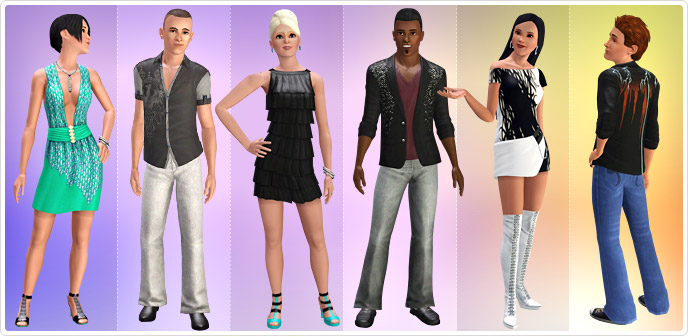
Whether your Sim is charming their way to the front of the club line or dancing the night away, have them dress to express with the Date Night collection! Your Sim can be the life of the party with the flirty cocktail dresses, mesh and leather, or sparkly rave apparel. Dress for the blackjack table and soak in the nightlife with stunning new attire.
Activation Details:
1. Download and install Origin Client https://www.origin.com/usa/en-us/store/download (if you don´t already have Origin Client);
2. Create your Origin Account or log into an existing one;
3. Log in to the Sims 3 community website using your Origin email and password: http://www.thesims3.com/. If you are logging in for the first time, use your provided key for the Sims 3 base game during the registration process;
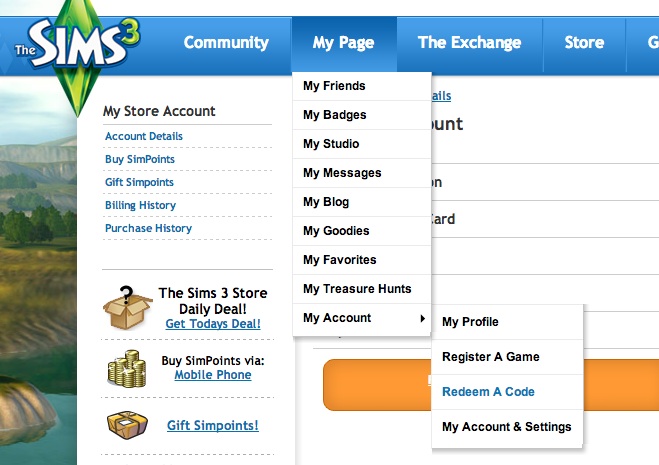
4. Under the "My Page" menu section at the top of the page, scroll down to "My Account" and select the "Redeem A Code" https://store.thesims3.com/myAccount.html option under the sub-menu;
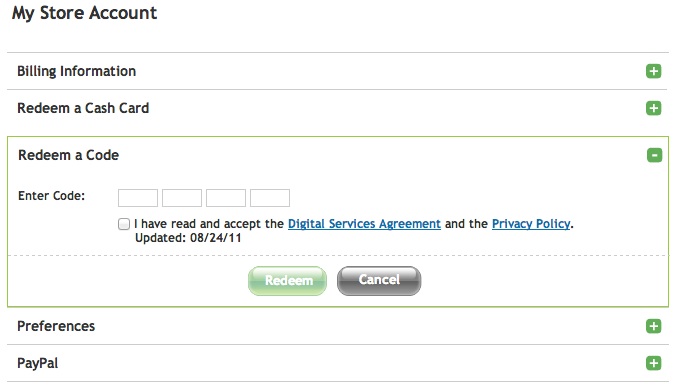
5. Click on "Redeem a Code";
6. Type in the code you bought "Sims 3 Date Night DLC " and click "Redeem";
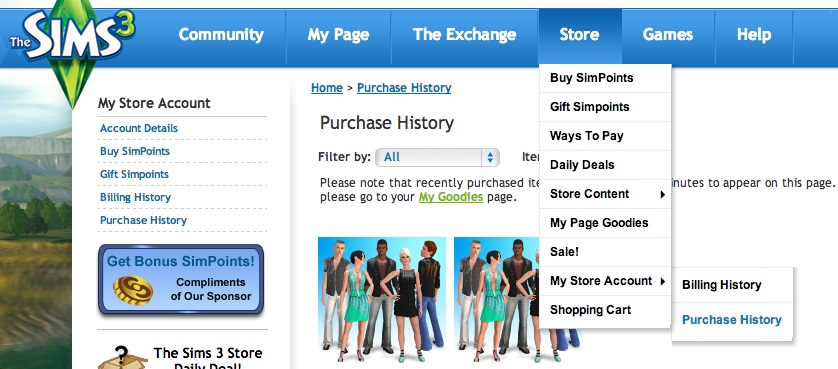
7. Click on the link for your "Purchase History" http://store.thesims3.com/purchaseHistory.html which should be visible after typing in your code. You can also access it under "Store" > "My Store Account" > "Purchase History" from the top of the page;
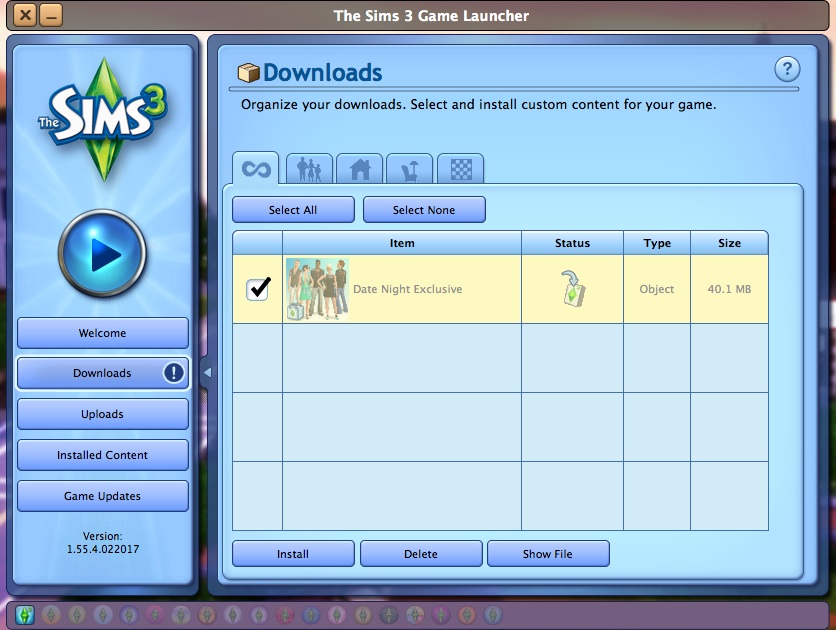
8. Click on the "Download" link under the icon. This will open your Sims 3 launcher and begin downloading the content through the launcher;
9. Once finished downloading, click on the "Install" button below;
10. That´s it! You will now have additional clothing and content added in to your Sims 3 game!
Please, leave a feedback after purchase.
This product does not contains boxes and discs.
 Discount for regular customers! If the total of your purchases from the seller
_Diesel_
exceeds:
Discount for regular customers! If the total of your purchases from the seller
_Diesel_
exceeds: