

WARDOGS - AK74 - scripts for logitech
The "No recoil" script for Logitech mice in WARDOGS removes most of the vertical recoil for the AK74 significantly improving accuracy and thereby increasing the effective range against opponents. Your mouse should be supported by the GHUB software.
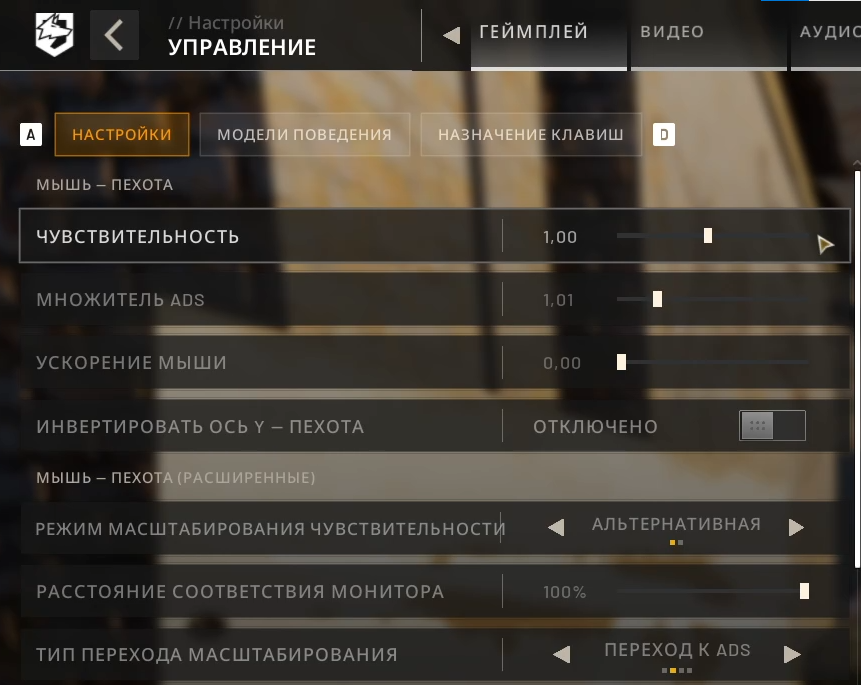
Scripts were written for an enlarged mags, for shooting from a standing position from the first person under the mouse sensitivity settings in the game - 1.0, ads multiplier - 1.0.
The script is configured for an in-game mouse sensitivity of 1.0. If you use a different sensitivity, for example 0.7, then calculate 1/0.7 = 1.43 and change the value in the line multiplier = 1 to 1.43, so it becomes: multiplier = 1.43
For shooting while crouching, multiplier = 0.75 and for shooting while prone, multiplier = 0.6.
If you don´t use attachments, the sight will shake vertically and horizontally while shooting. Therefore, you´ll have to move the mouse manually so that the crosshair stays on the enemy while firing. The macro will make it easier for you to do this.
You can maximize sight stability while shooting by using the Ballista Muzzle Brake with the AFG Foregrip, and then multiplier = 0.84.
"CapsLock" - enable/disable the script. Press the CapsLock key on the keyboard, the CapsLock icon will light up, and the script will be activated. Press the CapsLock key again to disable the script, and the CapsLock icon will turn off.
After enabling the script, the recoil reduction mode for the 1.2x scope is activated by default. If you want, you can change it to a different scope by changing the value in the line scope = 1
1.2x = 1
1.5x = 1.2
2x = 1.6
2.5x = 2
3x = 2.4
4x = 5.5
1.2x: left shift + 5th mouse button
1.5x: left alt + 5th mouse button
2x: left shift + left alt + 5th mouse button
2.5x: left shift + 4th mouse button
3x: left alt + 4th mouse button
4x: left shift + left alt + 4th mouse button
v6.1... - after enabling the script, removing recoil by pressing the left mouse button.
v6.2... - removing recoil in this script only when the right mouse button and the left one are pressed. If you do not press the right button, the left button will work as usual. That is, these scripts are for the aiming mode, in which aiming is carried out by holding the right mouse button down.
VIDEO: dzen.ru/video/watch/6aa5e50d9319f152299a6ecb
https://dzen.ru/video/watch/6aa5e50d9319f152299a6ecb
open the email and follow the link inside. It will take you to your personal account, where you will find my message with important information about product updates, new product releases, or useful information about the anti-cheat system. For example, warnings about anti-cheat detection, how to avoid a ban, etc.
Also join my Discord and VK groups. I post important information there as well.
You can also access your personal account through the website oplata.info
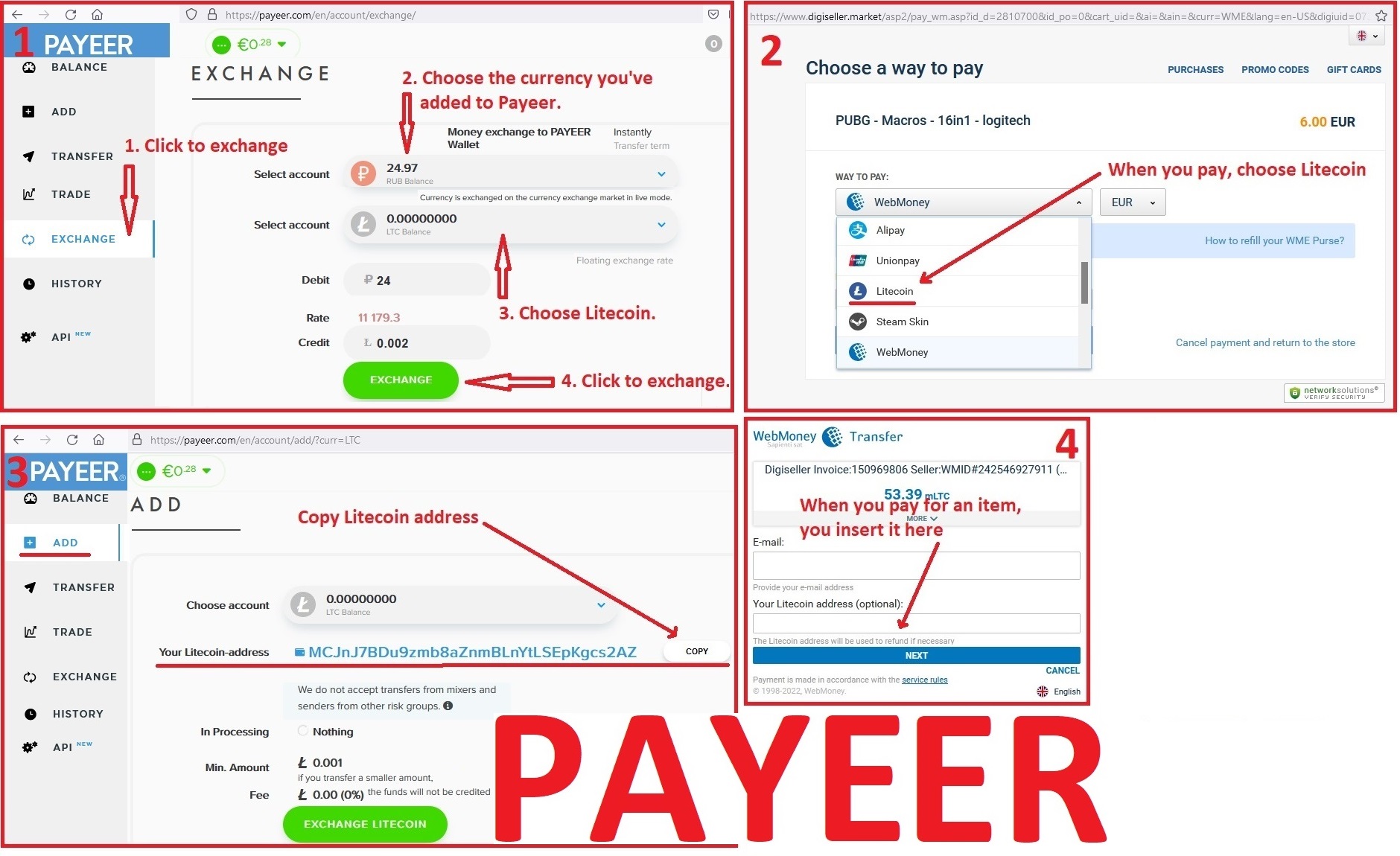
1. Sign up for Payeer: https://payeer.com/?session=13084023
2. Register with the European Exchanger: https://changer4u.com/ru/aff/e60c9d86e365ae81439dedefa2ad227e3ac569d6
3. Replenish Payeer with an exchanger.
4. In Payeer replenish Litecoin.
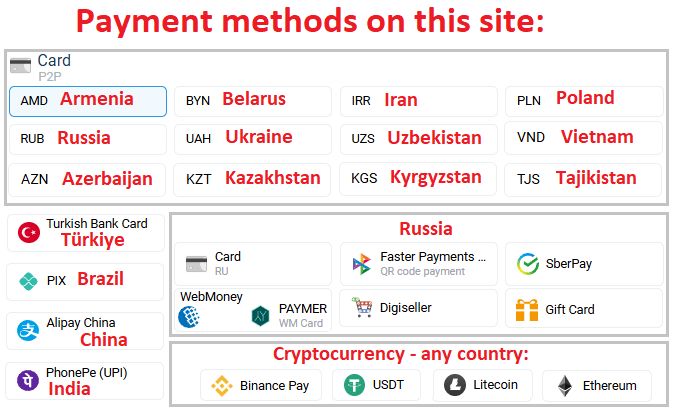
5. When buying, choose Litecoin from the payment methods.
When paying with Litecoin, there is no banking commission and the price of the item is lower.
You can also pay with skins from Steam: zen.yandex.ru/video/watch/65c05a87bf878653f5ccff1d
You can download GHUB version 2021.3 using the link below: https://drive.google.com/file/d/1ffXNTp5iQZ8woltyIj7CKkeY6Oz6ux3x/view
After installation, immediately disable automatic updates in the GHUB settings.
No customer reviews yet.