AUTOLISP: building positions
- Price in currencies:
- 1.22 $ · 123 RUB · 1.09 €
- Category:
- Applications, Macros
- Item:
- poz.lsp (1.9 KB)
- Uploaded:
- 11.02.2020 18:20:56
- Sales:
- -1
- Refunds:
- -1
- Seller:
- Fanat2020 · about the seller and their products
DESCRIPTION
AUTOLISP: building positions
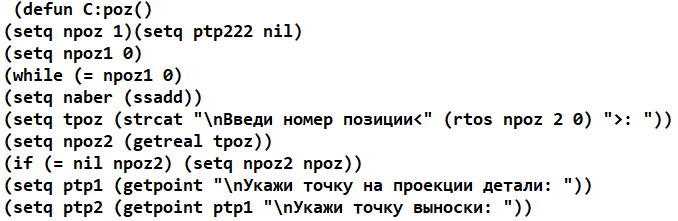
The program is designed to build positions on Assembly drawings in RUSSIAN versions of autocad 2013...2017 and later.
The program asks you to enter the item number, the point on the part, the shelf location, the number of additional shelves (>= 0) , and then automatically requests data for the remaining items by analogy.
As a result, positions are built that are aligned on the same line.
Additional information:
Poz file.place the lsp with the program in a separate folder after the purchase, for example E:\LSP.
Go to the menu (Tools Настройка settingsFilesTrusted locations ) and add the path to this folder E:\LSP. Then go to the menu
(Service Aut AutuLispApplications) and in the autoload group, click the APPLICATIONS button and add the poz file there.lsp for automatic loading.
To assign a separate button
go to Tools _ Customize _ Interface and click the "Create a new command" button. Enter the name of the command and its description, such as "Positions".
Enter the name of the _ poz function in the macro line.
The new "Positions" command should appear in the list at the bottom left.
Drag it with the right mouse button to the desired panel in the "tree" of the neighboring window at the top and click OK.
REVIEWS
Reviews: (0)
No customer reviews yet.