
Universal script - No Recoil for Logitech - battlefield, call of duty, pubg...
- Price in currencies:
- 7.71 $ · 593 RUB · 6.25 €
- Category:
- Macros
- Item:
- Universal-logitech.zip (2.49 KB)
- Uploaded:
- 21.01.2025 2:35:21
- Sales:
- 10
- Refunds:
- 0
- Customer rating:
- 5.0 of 5 +1 / −0
- Seller:
- MacrOleg · about the seller and their products
DESCRIPTION
Universal script - No Recoil for Logitech - battlefield, call of duty, pubg...
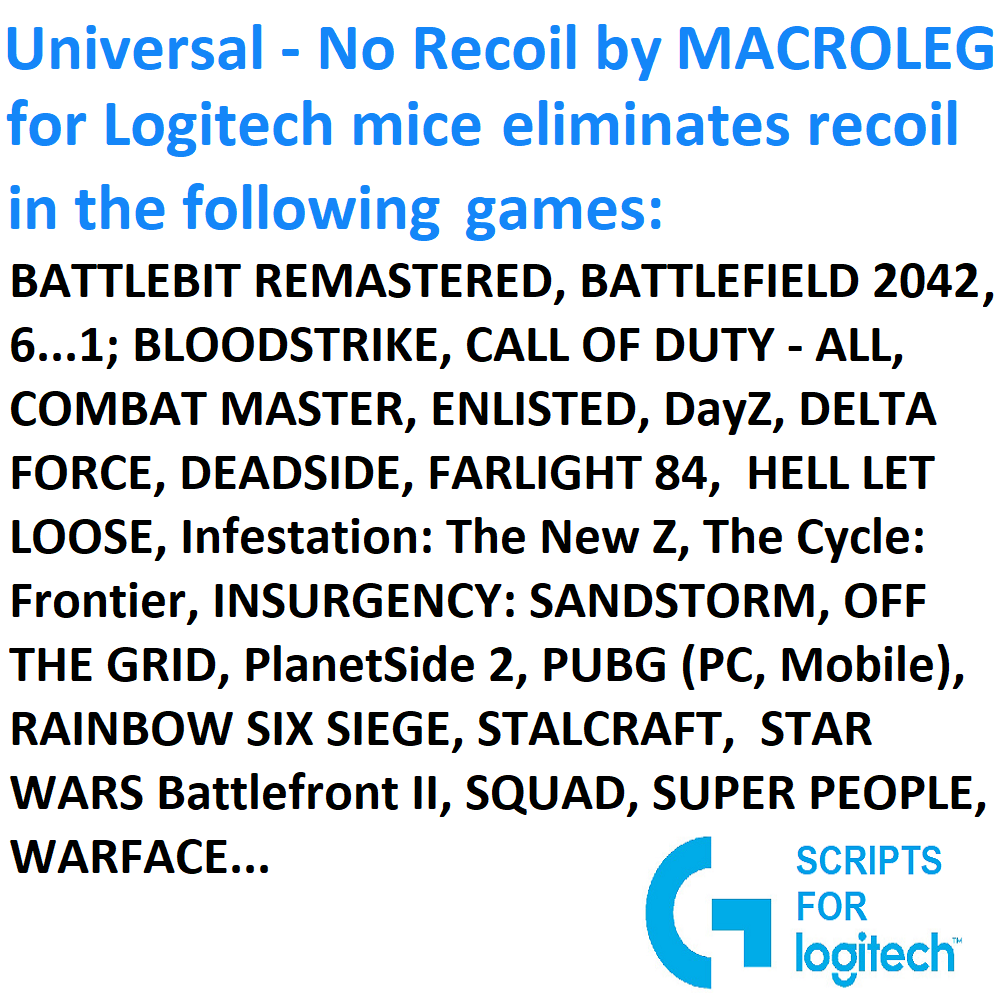
Universal "No Recoil" script for Logitech Mice. This universal script significantly reduces vertical recoil for weapons in games with simple, uniform, and linear recoil patterns—where recoil remains almost the same at the start, middle, and end of shooting. If the recoil pattern is uneven, the script will reduce recoil approximately up to the 10th shot. Your mouse must be compatible with the GHUB software.
The script allows cursor movement speed to be adjusted by default within the range of 1 to 12 pixels. The desired recoil reduction mode is activated using a combination of mouse and keyboard buttons.
The script supports recoil reduction for automatic, semi-automatic, and sniper weapons. Different modes for these weapon types can be activated using specific mouse and keyboard button combinations.
The script includes three adjustable lines for each weapon, enabling you to customize recoil settings for specific weapons. Once configured, you can save the settings, so, for example, the 5th mouse button activates the recoil reduction mode for the M416, and the 4th button for the AKM.
# Weapon #1 -> 5th mouse button:
delay_ms_1 = 10 # Delay in milliseconds. Increase if the crosshair moves down while shooting, decrease if it moves up.
moveX_1 = 0 # Horizontal adjustment. Positive value if the crosshair moves left, negative if it moves right.
moveY_1 = 1 # Vertical adjustment. Positive value if the crosshair moves up, negative if it moves down.
CapsLock: Enables/disables the script. Pressing the CapsLock key on the keyboard will light up the CapsLock indicator and activate the script. Pressing CapsLock again will turn off the script, and the indicator will go off.
1 pixel: 5th mouse button.
2 pixels: 4th mouse button.
3 pixels: Left Shift + 5th mouse button.
4 pixels: Left Shift + 4th mouse button.
5 pixels: Left Alt + 5th mouse button.
6 pixels: Left Alt + 4th mouse button.
7 pixels: Left Ctrl + 5th mouse button.
8 pixels: Left Ctrl + 4th mouse button.
9 pixels: Left Shift + Left Alt + 5th mouse button.
10 pixels: Left Shift + Left Alt + 4th mouse button.
11 pixels: Left Ctrl + Left Alt + 5th mouse button.
12 pixels: Left Ctrl + Left Alt + 4th mouse button.
Semi-Automatic Weapon Modes:
Mode #1: Left Shift + Left Ctrl + 5th mouse button.
Mode #2: Left Shift + Left Ctrl + 4th mouse button.
Single-Fire Sniper Weapon Modes:
Mode #1: Left Shift + Left Alt + Left Ctrl + 5th mouse button.
Mode #2: Left Shift + Left Alt + Left Ctrl + 4th mouse button.
When the correct combination of keyboard and mouse buttons is pressed to enable a specific mode, your in-game character will perform a jump as confirmation.
For semi-automatic weapon modes:
Press and hold the right mouse button.
Press the left mouse button to start firing.
Release the right mouse button to stop firing.
Additional information:
open the email and follow the link inside. It will take you to your personal account, where you will find my message with important information about product updates, new product releases, or useful information about the anti-cheat system. For example, warnings about anti-cheat detection, how to avoid a ban, etc.
Also join my Discord and VK groups. I post important information there as well.
You can also access your personal account through the website oplata.info
After payment you will receive a link to download the archive with macros. If you accidentally closed the page with this link, you can return it by clicking on the link in the letter that came to your e-mail after payment. You can also go to your personal account at oplata.info and your purchase will be displayed there.
IF YOU HAVEN´T FOUND THE RIGHT MACRO ON SALE. THEN I CAN MAKE YOU A MACRO FOR A CERTAIN PAYMENT.
You can download GHUB version 2021.3 using the link below: https://drive.google.com/file/d/1ffXNTp5iQZ8woltyIj7CKkeY6Oz6ux3x/view
After installation, immediately disable automatic updates in the GHUB settings.