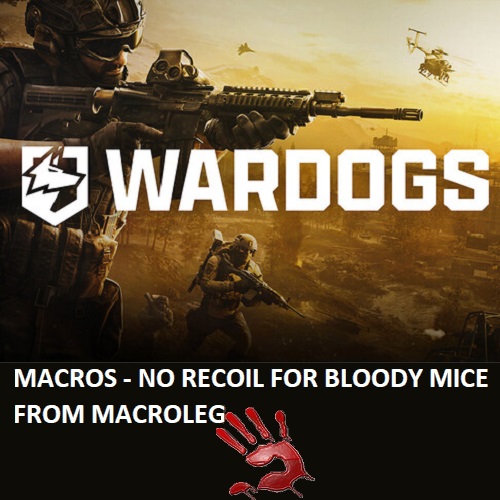
WARDOGS - M4 - macros for bloody, x7
- Price in currencies:
- 4.63 $ · 354 RUB · 3.75 €
- Category:
- Macros
- Item:
- WARDOGS-M4-bloody-x7.zip (5.55 KB)
- Uploaded:
- 06.10.2026 12:31:52
- Sales:
- 8
- Refunds:
- 0
- Seller:
- MacrOleg · about the seller and their products
DESCRIPTION
WARDOGS - M4 - macros for bloody, x7
Macros - No recoil for Bloody & x7 mice in WARDOGS remove most of the vertical recoil of M4, greatly improving accuracy and increasing the effective range against enemies. Your mouse Bloody must be activated and supported by the BLOODY 7 software.
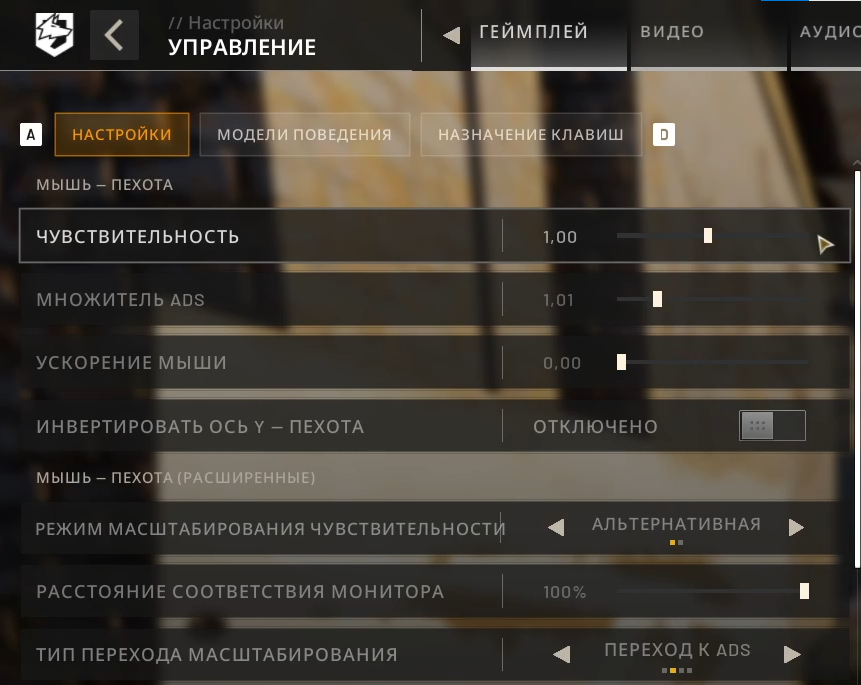
Macros were written taking into account the increased mags, for shooting from a standing position in the first person, under the mouse sensitivity settings in the game – 1.0, ads – 1.0. For shooting while crouching, set ads - 0.75, and for shooting while prone, set ads - 0.6.
Macros with the .mgn extension are closed for editing — they can only be used and are not compatible with the Bloody WorkShop 8 program.
Macros with the .amc extension are for X7 mice, and they can be imported into the Bloody Workshop 8 software.
1.2x (iron sights, red dot sight, holographic sight), 1.5x, 2.0x, 2.5x, 3.0x, 4.0x — sight magnification.
If you don´t use attachments, the sight will shake vertically and horizontally while shooting. Therefore, you´ll have to move the mouse manually so that the crosshair stays on the enemy while firing. The macro will make it easier for you to do this.
You can maximize sight stability while shooting by using the Ballista Muzzle Brake with the AFG Foregrip.
v5.1…amc — Load these macros onto the mouse button F (7th) if your mouse has it, or onto button 3 (wheel click) and side buttons 5 and 4.
After pressing the macro button once, recoil control will start.
v5.2…amc — Load these macros onto the F (7th) button if available, or onto button 3 (wheel click) and side buttons 5 and 4.
When you press the macro button, it turns on, and recoil control will activate when pressing the left mouse button.
To turn the macro off, press the same macro button again.
v5.1...mgn — After activating the macro, recoil reduction occurs when the left mouse button is pressed.
v5.4...mgn — After activating the macro, recoil reduction occurs when the right mouse button and left mouse button are pressed. If the right mouse button is not pressed, the left mouse button operates in its default mode.
If the mouse sensitivity settings in the game are too large for you, or too small, then you can change the dpi of your mouse, this will not affect the work of macros.
VIDEO: dzen.ru/video/watch/6aad58d244cd8c24eb575552?t=0
https://dzen.ru/video/watch/6aad58d244cd8c24eb575552?t=0
open the email and follow the link inside. It will take you to your personal account, where you will find my message with important information about product updates, new product releases, or useful information about the anti-cheat system. For example, warnings about anti-cheat detection, how to avoid a ban, etc.
Also join my Discord and VK groups. I post important information there as well.
You can also access your personal account through the website oplata.info
After payment you will receive a link to download the archive with macros. If you accidentally closed the page with this link, you can return it by clicking on the link in the letter that came to your e-mail after payment. You can also go to your personal account at oplata.info and your purchase will be displayed there.
IF YOU HAVEN´T FOUND THE RIGHT MACRO ON SALE. THEN I CAN MAKE YOU A MACRO FOR A CERTAIN PAYMENT.
REVIEWS
Reviews: (0)
No customer reviews yet.