 Discount for regular customers! If the total of your purchases from the seller
SOFT-KLUB
exceeds:
Discount for regular customers! If the total of your purchases from the seller
SOFT-KLUB
exceeds:
- $150 discount 3%
- $100 discount 2%
- $1 discount 1%

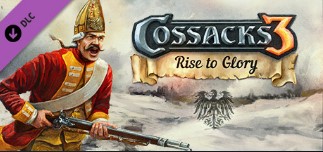
DLC Cossacks 3: Rise to Glory / STEAM GIFT / RU
This content requires the base game Cossacks 3 on Steam in order to play.
THIS GIFT MAY BE ACTIVATED ONLY IN THESE COUNTRIES: RUSSIA.
GAME CANNOT BE PLACED IN INVENTORY.
Game language: as on Steam
SUPPLEMENT INFORMATION
Climbing to Glory will allow you to feel yourself in the role of great commanders and take part in the battles that changed the course of history. Also, this add-on introduces many new features to the game: new nations, units, climate, unique campaigns, single player scenarios and much more!
Key Features:
Prussian Campaign: Try yourself as Frederick the Great and lead the mighty Prussian troops in the bloodiest battles of 18th century Europe.
Swedish campaign: Become a witness to Sweden’s golden age under the leadership of Gustav Adolf, a strategic genius who invented the modern method of warfare.
Unique new units: 7 new units have been added, of which 3 are completely new.
New climate: prepare your fur coats, as in Ascension to Glory the battlefields will be strewn with snow.
New Nations: the mighty Bavaria and Saxony, the favorites of the old fans, are returning to the game and are ready to demonstrate all their military power.
Single scenarios: three missions will give you the opportunity to visit different parts of Europe and take part in fascinating historical battles.
How to activate STEAM GIFT?
1. If you are not already registered on Steam, download it from here http://store.steampowered.com/about/, and then install. As soon as you do this, you will be asked to create a new account or log in using an existing one. If you do not already have a Steam account, please register it.
2. You have received an email containing a link upon opening which the gift will be activated, or you will receive a notification in the upper right corner of the Steam application.
3. After you click on this notification, a confirmation window will appear on which you can either accept or decline the gift.
4. If you immediately added a game to the Library, simply select it in the list of your Steam games and click install to download it and start playing.
No customer reviews yet.
Discount for regular customers! If the total of your purchases from the seller
SOFT-KLUB
exceeds: