


3 0
Jurassic World Evolution(New Steam Account/Region FREE)
After payment, you will receive a 100% working account of the game Jurassic World Evolution purchased on it, you will be the first owner of this account, there will be no played hours, returns and problems, since the accounts are personal!
- without regional restrictions (Steam region free; Global account)
- The phone is not attached.
- Mail is confirmed, you can change it to your own. (We do not provide data from the mail) Instructions for changing mail are lower
- You can change the account data to your
- Steam Guard -OFF
Unlike other accounts on the market with Jurassic World Evolution, this account will stay with you forever, because He received legally. There are no returns.
ABOUT THIS GAME
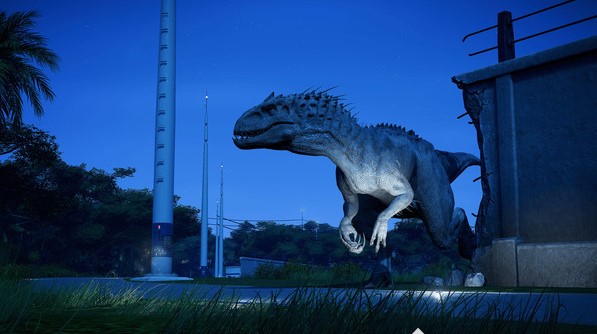
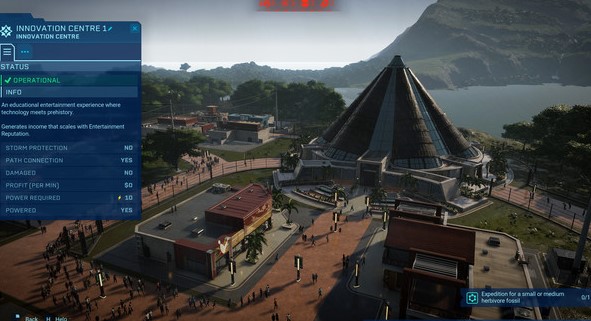
Lead the headquarters on the legendary Muertes archipelago and bring back to life wonderful, majestic and dangerous dinosaurs. Build scientific, entertaining and protective complexes in a changing world where life will always find a way.
Bioengineering will help create dinosaurs that can think, feel and think. Play with nature itself, endowing dinosaurs with unique properties to finance their search for new dinosaur DNA samples.
Control the overall situation with controls or personally solve problems on the ground and in the air. Buy islands and follow your path in a narrative game with characters known to you from the long history of the Jurassic World.
1. Enter the Steam app
2.Click on "login" in the upper right corner of the steam program and select "About account"
3. In the "Contact Information" section, be sure to add your phone by clicking on the "Link Phone" link. Without adding a phone you can not change the mail!
4. Enter your phone number and confirm it with SMS message.
5. After this, go to the settings. In the upper left corner of the steam program, click on the "Steam" menu and then "Settings"
6.Click the "Change Contact Email Address" button
7. Send the verification code to your number, enter it in the field and replace the E-mail with your own.
8.Also in the settings, click the "Change Password" button. Change the password to your own and only then start the game. These security measures will help keep your account forever!
9. Go to the "Library" section and right-click on "install game". The game will start downloading from the official Steam servers. After installation, you can play Rust - steam account on steam licensed servers.
 Discount for regular customers! If the total of your purchases from the seller
AK_MARKET
exceeds:
Discount for regular customers! If the total of your purchases from the seller
AK_MARKET
exceeds: