
4 0
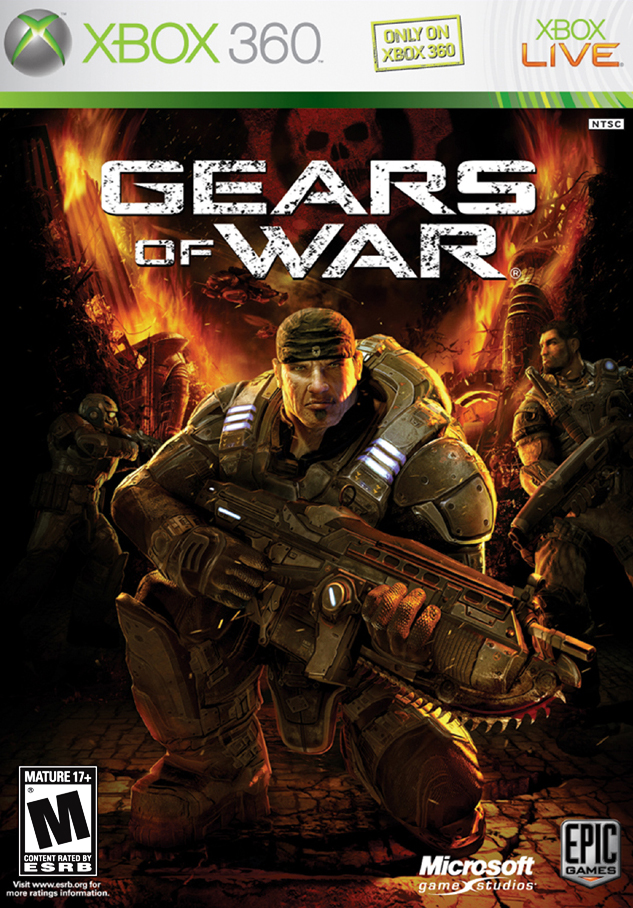
CODE | Gears Of War | XBOX ONE/360
- Before using / buying a product, READ THE RULES REQUIRED!
Attention:
- Dear customer, we sell only the official product, at market prices, in this you can make sure personally - by making a purchase. As your security, we strongly recommend that you record the purchase process and until the moment of activation (with a fixed time / date), in case you have doubts. A claim will be considered only if there is video and the fact of the problem. Thank you for understanding.
>>> Claims are accepted only with a video recording from the beginning of the receipt of the game to its activation. <<<
- The key is not returned for reasons of "did not fit", "I can not activate" or "did not read the description" is NOT made
- The seller will always assist in the activation of the key on your own account at any time of the day except the night.
- When purchasing a product, you automatically agree with the conditions of the seller and the terms of use described in the instructions.
- Please do not leave Negative feedback before contacting the seller!
- successful purchases to you!
- After payment you will immediately receive a key (Code for downloading the full version of the game from the service Xbox Live)
Gears Of War - XBOX ONE - 360
Region: All Regions / Worldwide
All Codes Official and Verified
If you have any questions, please contact us.
ND # GAMES ™ - All our products are here.
https://www.plati.market/seller/nd-games/692823
Thank you for attention. We will be glad if you leave a review for our work and will contact us again))
In order to activate the code, you must perform the following steps:
- Code Activation Method Through the Site -
1. Go to the website http://www.xbox.com
2. Follow the "Login" link in the upper right corner.
3. Log in with your account
4.Go to My Account
5. Select "Activate Code"
6. Enter the purchased code
- Method of activation of the code via the console -
1. Log in to your Microsoft account.
2. Click the XBOX GUIDE launch button on the gamepad.
3.Open the GAMES AND APPLICATIONS tab
4. Select the REPAY CODE and enter the purchased code
 Discount for regular customers! If the total of your purchases from the seller
ND#GAMES
exceeds:
Discount for regular customers! If the total of your purchases from the seller
ND#GAMES
exceeds: