
9 1
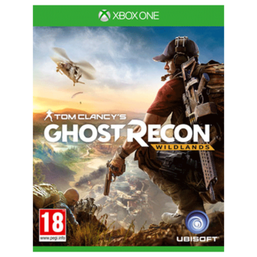
Tom Clancy´s Ghost Recon Wildlands XBOX ONE
After purchase, you get access to the gaming account and access to the Microsoft account email.
u are the only one who have access to account, no one except you have access to account
HOW TO USE ON XBOX ONE!
================================================== ============
1) Run the console.
2) the Load screen, select the "Enter" button (man with an arrow)
3) Select the new user (add a new profile)
4) Enter the username (email)
4.1) Press "enter" on the screen or on the navigation button «Start»
5) If you do not make a mistake in the login, you will be asked to enter the password of the account
Otherwise, return to Step 4.
6) Enter the password
6.1)) Press Enter on the screen or on the navigation button «Start»
6.1) If you see the word "privacy control" then click "Next"
7) On the "Login Options and Security" window that appears, choose the "No Limit"
8) Click "Next"
9) On the "Color Selection" screen, click "Next"
10) Press the button on the joystick XBOX and go to the home page
11) go to the item "My games and apps" on the home page
12) flipping to the right until the end and in the tab "Ready to install" choose our game and click "Install"
The guarantee means the work of the purchased account during this period from the date of purchase.
RESTRICTED TO DO:
1. Transfer account third parties
In case of violation of one of the points of the product warranty VOID!
 Discount for regular customers! If the total of your purchases from the seller
EvgenDigi
exceeds:
Discount for regular customers! If the total of your purchases from the seller
EvgenDigi
exceeds: