radio button javascript calcularor
- Price in currencies:
- 1.23 $ · 99 RUB · 1.1 €
- Category:
- Others
- Item:
- p0008 Калькулятор radio button.zip (3.45 KB)
- Uploaded:
- 29.11.2016 18:16:03
- Sales:
- 2
- Refunds:
- 0
- Seller:
- Mobile-island · about the seller and their products
DESCRIPTION
radio button javascript calcularor
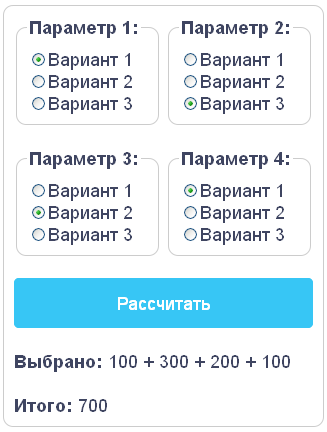
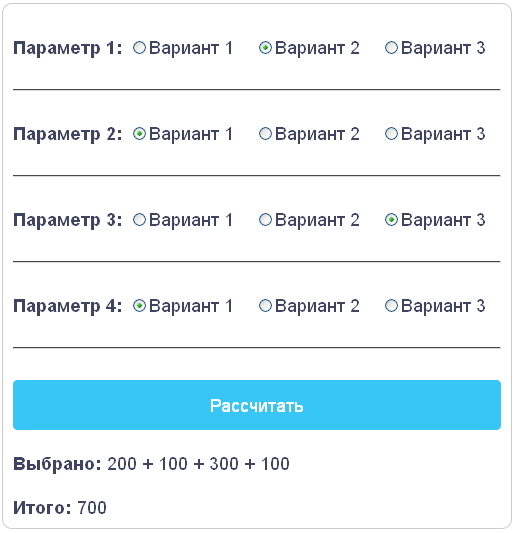
The script is a calculator with a choice of options, using input type radio button in javascript for a site
Scripts two calculators consisting of groups of input type radio button. Each group of radio buttons means that any calculation option and has multiple options to choose from. For example, "Option 1", you may have three options to select: "Option 1" "Option 2" "Option 3". When all the values of the calculator is selected, you must click on the "Calculate" button, whereby, in the column "total" will be the result of the calculation. During the calculation, the calculator analyzes all radio button and selects the marked buttons value. Then, all the obtained values are substituted in the formula. The calculation formula may be any and is configured according to the requirements of the specific calculation of the calculator. In the example, all observed values are aggregated.
============ The settings of the calculator radio button
where
name=’radGroup1’ – the name of the first group of radio buttons.
Value=’100’ value a specific radio button.
Checked – oznachaet that the button is selected when you download.
============ The formula for calculating the calculator radio button
sum = val1+val2+val3+val4;
where
sum – the result of the calculation.
val1 ... val5 – value of the selected radio buttons.
============ Install the calculator radio button
To insert a calculator in html code of the page, in the place where you want to display the calculator.
============ Requirements for the operation of the calculator radio button
Browser, javascript
============ Edit the calculator radio button
Having a basic knowledge of html and javascript, you can change the functionality of the calculator, to add or remove items.
REVIEWS
Reviews: (0)
No customer reviews yet.